
TV-Sizes journal
Wall Mounted TV Stand: Heights, Widths & Which Type to Use
Wall Mounted TV Stand: Heights, Widths & Which Type to Use
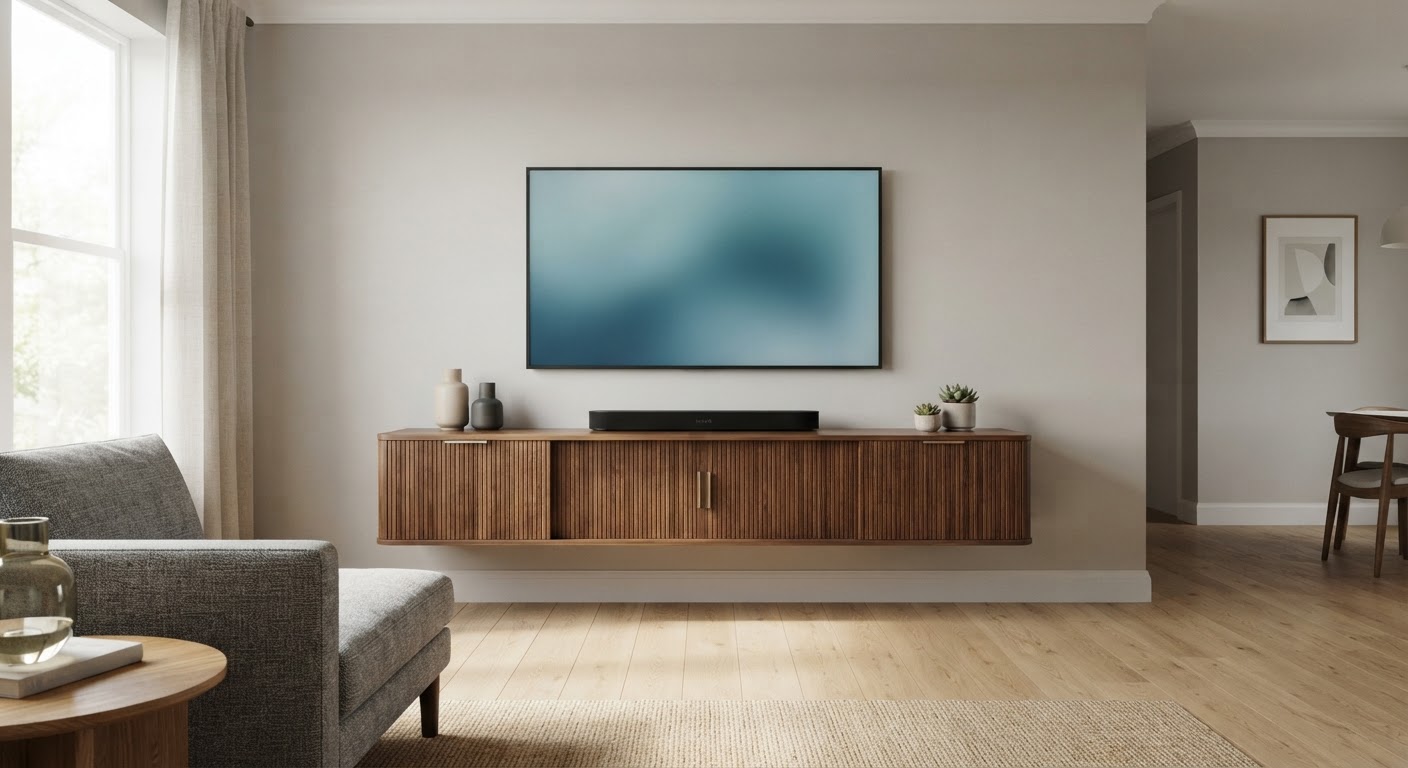
"Wall mounted TV stand" covers three different setups, and shoppers mix them up all the time. Search the phrase on a retailer and you get a mix of wall-hung media consoles (floating TV stands) and TV wall mounts (the steel brackets that hold the TV itself). A third option, the floor TV stand with a built-in mount, gives you the same look without drilling.
Each one gets sized differently. This guide gives the TV height for each screen size, the tallest console that fits under a wall-mounted TV, console widths based on real measured TVs, and the wall and load checks that decide whether a setup is safe.
Quick answers
| Question | Short answer |
|---|---|
| What is a wall mounted TV stand? | Usually a media console hung on the wall (a "floating" TV stand). The term is also used for TV wall mounts and for floor stands with a TV-mount pole. |
| How high should a wall-mounted TV be? | Put the screen center near seated eye level, about 42 in for a typical sofa. If you're willing to look up slightly, some guides use 48 in or higher. |
| How high can the console under it be? | It depends on screen size. With the screen centered at 42 in and a 6 in gap, a console under a 65" TV should top out around 20 in (see the table below). |
| How wide should the console be? | If the TV is mounted above it, aim for about the TV's own width or a bit wider. Most real 65" TVs in our database are 57–58 in wide. If the TV sits on the console, the TV's feet set the minimum width. |
| Can a floating console go on drywall alone? | Often not. Several current listings say they can't be installed on drywall (gypsum board). Plan for studs or a solid wall. |
The three things people mean by "wall mounted TV stand"
| Type | What holds the TV | Drilling | Best when | Sizing driver |
|---|---|---|---|---|
| Wall-hung media console (floating TV stand) with the TV mounted above it | A TV wall mount, separate from the console | Two installs: the mount and the console | You want the lowest clutter and correct TV height | TV height on the wall, then console height and width below it |
| Wall-hung console with the TV sitting on top | The console itself, through its wall rail | One install, but it carries the TV's weight | Smaller, lighter TVs on a solid wall | Console load rating, TV feet width, wall type |
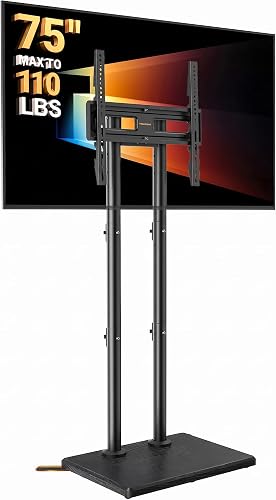
| Floor TV stand with a mount (pole/column stand) | A VESA bracket on a floor-standing column | None | Renters, drywall-only walls, corners | VESA pattern, weight rating, listed height range |
The rest of this page goes through the numbers for each. If you want deeper coverage of the console itself, see the floating TV stand guide and the floating TV console guide.
Step 1: How high to mount the TV
The rule nearly every mounting guide agrees on is to put the center of the screen near the eye level of a seated viewer. A typical sofa puts eyes around 42 inches off the floor. Many installers mount higher than that, especially in rooms where people also stand or watch from a distance. Pick your target center and use the screen's height to find where its top and bottom edges land.
The heights below use theoretical 16:9 screen dimensions calculated from the diagonal. They describe the picture area, not the physical TV. A real chassis adds a bezel (and on some models a thicker bottom "chin"), so the TV's actual bottom edge sits slightly lower than the screen's.
| TV class | Theoretical 16:9 screen width | Theoretical 16:9 screen height | Screen bottom at 42" center | Screen top at 42" center | Screen bottom at 48" center | Screen top at 48" center |
|---|---|---|---|---|---|---|
| 32" | 27.9" | 15.7" | 34.2" | 49.8" | 40.2" | 55.8" |
| 43" | 37.5" | 21.1" | 31.5" | 52.5" | 37.5" | 58.5" |
| 50" | 43.6" | 24.5" | 29.7" | 54.3" | 35.7" | 60.3" |
| 55" | 47.9" | 27.0" | 28.5" | 55.5" | 34.5" | 61.5" |
| 65" | 56.7" | 31.9" | 26.1" | 57.9" | 32.1" | 63.9" |
| 75" | 65.4" | 36.8" | 23.6" | 60.4" | 29.6" | 66.4" |
| 85" | 74.1" | 41.7" | 21.2" | 62.8" | 27.2" | 68.8" |
The bigger the TV, the lower its bottom edge sits at the same center height. At a 42-inch center, an 85-inch screen comes within about 21 inches of the floor. That is the problem most wall-mounted setups run into: a normal 24–30-inch-tall console doesn't fit under a big TV mounted at eye level.
For seat-specific distances and heights, see the viewing distance guide, or check a screen against your seating with the calculator:
Viewing distance
How far is your seat?
Use this as a practical starting point, then adjust for your room and preferences.
- Mixed viewing
- 60″
- Cinema / 4K
- 80″
Step 2: How tall the console under a wall-mounted TV can be
Leave a gap between the top of the console and the bottom of the TV. The gap gives you airflow, room to reach the ports, and space for a soundbar that won't block the screen. 6 inches is a common working minimum. Subtracting that from the screen-bottom heights above gives the tallest console top that still fits:
| TV class | Max console top height, screen center at 42" | Max console top height, screen center at 48" |
|---|---|---|
| 32" | 28.2" | 34.2" |
| 43" | 25.5" | 31.5" |
| 50" | 23.7" | 29.7" |
| 55" | 22.5" | 28.5" |
| 65" | 20.1" | 26.1" |
| 75" | 17.6" | 23.6" |
| 85" | 15.2" | 21.2" |
These figures use a 6-inch gap and theoretical 16:9 screen height. Subtract your TV's bottom bezel, and add room if a soundbar on the console is taller than the gap allows.
What this means in practice:
- For 65-inch TVs and larger mounted at eye level, a wall-hung console is the natural partner. You can hang it at any height, so a 14–20-inch-tall cabinet can sit with its top at 18–20 inches. Most floor consoles are too tall for that.
- If you already own a tall floor console, the TV has to go higher. Work backward: console top + gap + half the screen height = the screen center you'll end up with. Then check that center against the viewing guide before you drill.
- Soundbars change the gap. Measure the bar's height and add an inch or two so it doesn't block the bottom of the picture or the TV's IR receiver.
Step 3: How wide the console should be
When the TV is on the wall, the console doesn't carry it, so width is about proportion and storage, not structure. Size it against the TV's real chassis width, not the diagonal. Real chassis widths from the tv-sizes TV database:
| TV class | Real chassis width (tv-sizes database) | Console under a wall-mounted TV: looks anchored | Starts to look undersized below |
|---|---|---|---|
| 32" | most models 29–31" | 29–35" | ~20" |
| 43" | 38–43" (most 39") | 39–47" | ~26" |
| 50" | 44–49" (most 45") | 45–54" | ~30" |
| 55" | 48–51" (most 49") | 49–59" | ~33" |
| 65" | 57–64" (most 57–58") | 58–70" | ~39" |
| 75" | 66–67" | 66–79" | ~44" |
| 85" | 76" (one model in the database) | 76–91" | ~51" |
The width ranges are design rules of thumb (roughly the TV's width up to about 20% wider, with about two-thirds of the TV's width as the low end). They aren't a standard. The chassis widths are real measurements.
If the TV sits on top of the wall-hung console instead, the console has to hold the TV's feet. Feet placement varies a lot even at the same screen size:
| Model (tv-sizes database) | TV width | Stand / feet width |
|---|---|---|
| LG 43UJ6300 | 39" | 35" |
| LG OLED55E7P | 49" | 17" |
| Samsung UN65MU8000 | 57" | 38" |
| LG 65UJ6300 | 57" | 52" |
| Sony XBR75X900E | 66" | 20" |
| LG 75UJ6470 | 67" | 68" |
| Sony XBR85X850D | 76" | 28" |
A center pedestal (17–28 in here) fits on almost any console. Edge legs (52–68 in here) need a console at least that wide, and on the LG 75UJ6470 the legs span wider than the TV itself. Check your own model's figures before buying. The fit calculator compares a console width against your TV:
Fit calculator
Measure the furniture.
We’ll size the screen.
Enter the clear inside width of your cabinet and the usable width of its base.
Step 4: Wall, weight and mount checks
For the TV wall mount:
- VESA pattern. This is the hole spacing on the back of the TV, in millimeters, and it's listed in the TV's manual or spec sheet. The mount's maximum VESA has to cover it. The tv-sizes database doesn't record VESA or weight, so use the manufacturer's spec sheet for your exact model.
- Weight rating. A mount listed "for 32–70 inch TVs" doesn't automatically hold every TV in that size range. The listed weight limit is what counts, so leave some margin.
- Studs. Most mounts are built to lag into wood studs. Wood-stud walls in North America are usually framed at 16 in on center, sometimes 24 in. A larger TV sits on a plate that has to reach two studs. Mounts we checked state they are for wood studs or solid concrete and not for drywall alone.
- Mount type vs. height. Fixed and low-profile mounts suit TVs at eye level. Tilting mounts help when the TV has to go higher (above a tall console or a fireplace). Full-motion arms help in corners and for off-axis seating, but they stick out farther from the wall.
For a wall-hung console:
- Read the wall-type line in the listing. Two of the consoles below state they can be installed on concrete, wood, cavity and brick walls but not on drywall (gypsum board). Another says concrete, wood and brick only, "not for hollow walls or drywall." On a typical stud-framed drywall wall, plan to fasten into the studs, using fasteners suited to your wall.
- Load rating covers everything on top. A 100 lb rating has to cover the cabinet's contents, the soundbar, the game console, and the TV if it sits on top. If the TV sits on the console, the TV's weight hangs off the console's wall rail, so this setup suits smaller, lighter TVs. For big screens, mount the TV on its own bracket.
- Cables. With the TV on the wall and a console below, the usual route runs from the TV down inside the wall to a recessed outlet or pass-through behind the console. In-wall power should use a code-compliant kit or an electrician. Surface raceways are the no-drill fallback.
For a floor stand with a mount: CPSC's Anchor It campaign says to mount flat-screen TVs to the wall or anchor them, and to use furniture designed to hold a TV. Pole stands rely on their base and anti-tip feet, so follow the listing's VESA and weight limits and use any anti-tip hardware provided, especially in homes with small children.
Wall mounted TV stand compatibility by TV size
| TV class | Typical real width | Mount the TV + hang a console below? | TV sitting on a wall-hung console? | Floor mount stand? |
|---|---|---|---|---|
| 32"–43" | 29–43" | Yes; nearly any console height works | Yes, the easiest size for this setup | Yes |
| 50"–55" | 44–51" | Yes; keep console tops under ~23" at a 42" center | Possible with a solid wall and a load rating that covers TV + gear | Yes |
| 65" | 57–64" | Yes, the most common pairing; low console (top ~20") at a 42" center | Check the load rating and wall type very carefully; most people mount the TV instead | Many listings stop at 65–75"; check weight |
| 75" | 66–67" | Yes; low wall-hung console, or raise the TV toward a 48" center | Not recommended; the TV's weight and edge legs push consoles to their limits | Check listing max size and weight carefully |
| 85" | 76" | Yes; the console has to be very low (top ~15–21") or the TV goes higher | Not recommended | Rarely covered by floor stands |
Real wall mounted TV stands and mounts
These are real products found on Amazon during research. Each fills one of the roles above. Widths, ratings and wall-type notes come from each listing's title or published details. Check the current listing, and your TV's weight and VESA spec, before you buy.


Common mistakes
- Mounting the TV first and finding the console won't fit under it. Decide the console height first, or use the max-console table above, then mark the TV position.
- Buying by "fits TVs up to X inches." That claim isn't a measurement. The width, load rating and wall type in the listing are what matter, and some listings contradict themselves (see the notes on the cards above).
- Hanging a heavy console on drywall anchors when the listing excludes drywall.
- Matching widths by diagonal. A 65" TV is about 57–58 inches wide, not 65. Use real widths from the 65-inch and 75-inch archives.
Related guides on tv-sizes.com
- Sizing a regular floor console: TV stand for a 65 inch TV, 75 inch TV, 85 inch TV
- Wall-hung furniture in more depth: floating TV stand, floating TV shelf, floating shelves under a TV
- TV screen size comparison and the TV size calculator
- Wall mount articles
Bottom line
For most people, a "wall mounted TV stand" is a TV on its own wall mount plus a low wall-hung console below it. Mount the TV so the screen center sits near seated eye level, then work downward with a 6-inch gap. That limits the console top to about 22 inches under a 55" TV, 20 inches under a 65", and under 18 inches under a 75" when the screen is centered at 42 inches. Size the console's width to the TV's real chassis width, not its diagonal. Before drilling, make sure both the mount and the console are rated for your wall: most of the products checked here exclude drywall-only installs. If you can't drill, a floor stand with a mount gets the same look.
As an Amazon Associate we earn from qualifying purchases. Price and availability can change.