
TV-Sizes journal
Floating TV Stand: How to Size It, Mount It & Load It Safely
Floating TV Stand: How to Size It, Mount It & Load It Safely
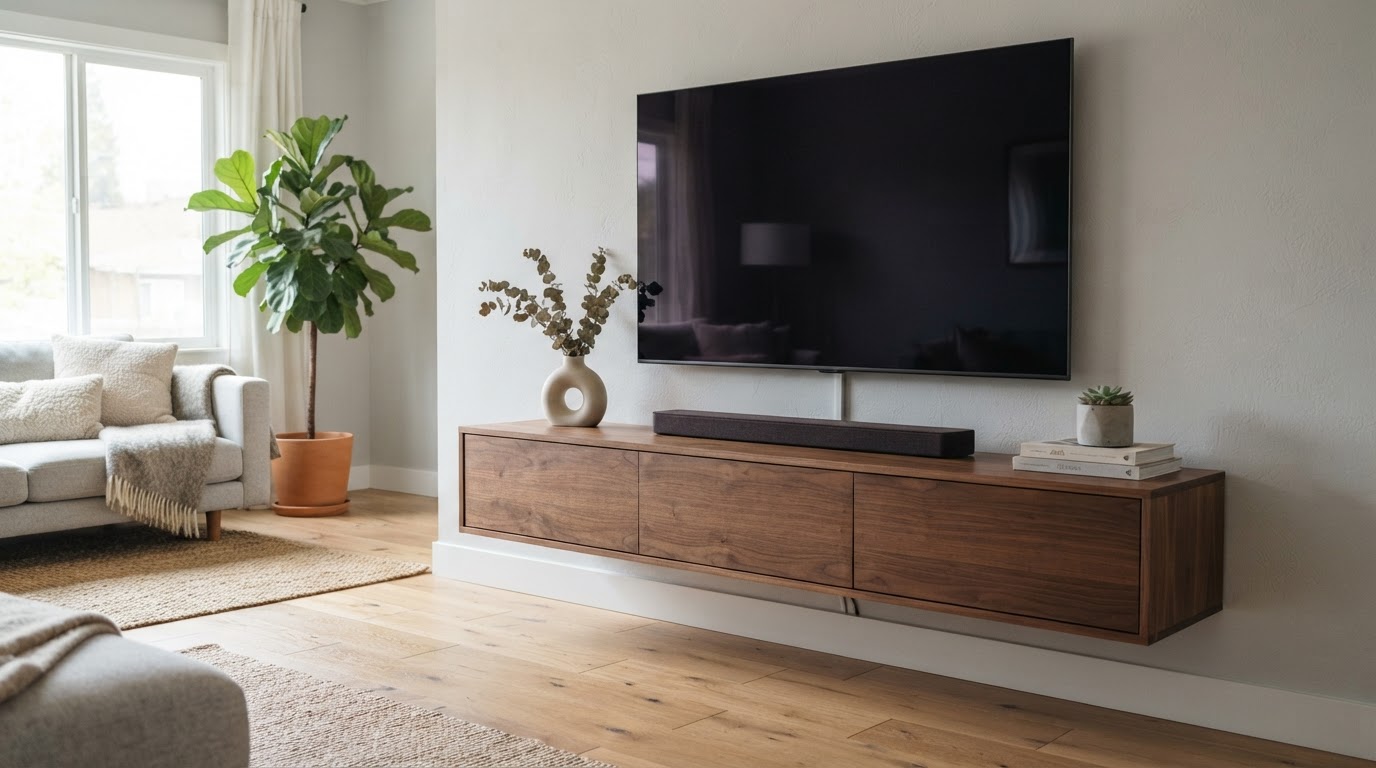
A floating TV stand is a wall-mounted media console that hangs on brackets, leaving a visible gap above the floor so it appears to "float." It reclaims floor space, hides cabling behind the cabinet and behind the TV, and gives a room a clean, built-in look — but because the whole unit (cabinet + everything in it + often the TV) is suspended from the wall, the normal rules of TV-stand sizing shift: width is still about your TV, while height, weight and wall type are about your wall.
There are two ways to use a floating TV stand, and each changes the sizing math:
- The TV sits on top of the console. The console is then a TV stand, and its top surface must be wide enough (and deep enough) to carry the TV's feet.
- The TV is wall-mounted above the console. The console becomes a media cabinet and its width is a style and storage choice, not a structural requirement.
Below we cover console width per TV size, mounting height, weight limits, wall types and cable management — with real TV measurements from the tv-sizes database so the numbers are grounded.
Quick answers
| Question | Short answer |
|---|---|
| How wide should a floating TV stand be? | At least as wide as the TV's feet when the TV sits on it; close to the TV's own width looks best. If the TV is wall-mounted above, pick any width you like for storage. |
| How high do you mount it? | Mount so the screen center lands near your seated eye level (roughly 42–45 in) in a TV-on-top setup; with a TV mounted above, leave 6+ inches between TV and console. |
| Will my wall hold it? | Anchor into wall studs whenever a TV rides on the console. Floating consoles for small TVs can use rated drywall anchors; big ones need studs or solid wall. |
| What about cables? | A floating stand hides them behind the console; the classic setup routes TV wires down the wall behind the TV into an outlet box or cable cover. |
The two setups and how they change sizing
Setup 1 — TV on top of the console. Treat the floating console like any TV stand: the top surface only needs to support the TV's feet, not the whole chassis, but the feet are the constraint. TV feet fall into two families (covered in detail below):
- Center stands (a pedestal or narrow feet near the middle) can sit on a console far narrower than the TV.
- Edge legs (feet near the corners — the most common configuration on mainstream TVs) need a console at least as wide as the leg span, which is nearly the full chassis width.
Setup 2 — TV wall-mounted above the console. The console no longer carries the TV, so width is free. A 55–60-inch floating console under a wall-mounted 65–85-inch TV is a common, well-proportioned pairing, but so is a compact 40-inch unit. Keep at least 6 inches of air between the top of the console and the bottom of the TV so the TV vents properly and the wires stay reachable.
How wide is your TV, really? (the numbers to size against)
The "65-inch" label is the screen diagonal, not the width. Two figures matter for choosing a console:
- Theoretical 16:9 screen width — geometry only, not the physical TV.
- Real chassis width — the actual TV body, measured in the tv-sizes database.
Theoretical 16:9 screen dimensions for the common TV classes:
| TV class | Screen width (theoretical 16:9) | Screen height (theoretical 16:9) | Screen area |
|---|---|---|---|
| 43" | 37.5" | 21.1" | 5.5 sq ft |
| 50" | 43.6" | 24.5" | 7.4 sq ft |
| 55" | 47.9" | 27.0" | 9.0 sq ft |
| 65" | 56.7" | 31.9" | 12.5 sq ft |
| 75" | 65.4" | 36.8" | 16.7 sq ft |
| 85" | 74.0" | 41.6" | 21.4 sq ft |
These are theoretical screen dimensions (16:9 geometry from the diagonal), not chassis measurements. The physical TV is a little wider, and what has to physically fit on the console is the feet.
Real chassis widths measured from the tv-sizes database (most common value for each class):
| TV class | Real chassis width (tv-sizes database) |
|---|---|
| 43" | 38–39" (most models; a few entries to 43") |
| 50" | 44–45" (most models; a few entries to 49") |
| 55" | 48–49" (range 48–51") |
| 65" | 57–58" (most models) |
| 75" | 66–67" |
| 85" | 76" (single model in the database) |
So a 65-inch TV is roughly 57–58 inches wide, and a 75-inch TV roughly 66–67 inches wide. When the TV sits on top of a floating console, that is the scale of console you should be looking at — but the feet decide the minimum.
Real TVs: the feet decide the minimum console width
The database's real models show why checking your TV's own stand is the step that matters. Measured chassis and stand widths from the tv-sizes database:
| Model (from database) | Brand | TV width | Stand/feet width |
|---|---|---|---|
| LG 55" Class OLED (4K HDR) | LG | 49" | 17" |
| Samsung UN65MU8000 | Samsung | 57" | 38" |
| LG 65UJ6300 | LG | 57" | 52" |
| VIZIO M65-E0 | VIZIO | 58" | 53" |
| Sony XBR75Z9D | Sony | 67" | 17" |
| LG 75UJ6470 | LG | 67" | 68" |
A 75-inch TV can carry a 17-inch center pedestal or 68-inch edge legs — the same diagonal, entirely different consoles. Rules of thumb for a floating console that will carry the TV:
- Center stand: a floating console 10–15 inches narrower than the TV can be perfectly stable; the pedestal just needs to sit fully on the top surface.
- Edge legs: the console must be at least as wide as the leg span. With legs near the corners (52–68" in the table above), that means a console essentially as wide as the TV.
If you are replacing a floor console with a floating one and your TV has edge legs, measure the distance between the outer edges of both feet before you buy. The full fit calculator can check any console against your TV's numbers.
Fit calculator
Measure the furniture.
We’ll size the screen.
Enter the clear inside width of your cabinet and the usable width of its base.
Console width by TV size (quick chart)
| TV class | Floating console width that pairs well (TV on top) | Console when the TV is wall-mounted above |
|---|---|---|
| 43" | 40–48" | any storage width |
| 50" | 48–55" | any storage width |
| 55" | 50–55" (55" for edge legs) | 40–60" |
| 65" | 55–60" (60" ideal) | 48–60" |
| 75" | 66–72" (70" sweet spot) | 55–66" |
| 85" | 76–80" | 60–72" |
When the TV sits on the console, the console should be at least as wide as the TV's feet, and equal to or slightly wider than the chassis is what looks balanced. When the TV is wall-mounted above, the console is a sideboard — pick width for storage and proportions (the console at roughly half to two-thirds of a big TV's width reads cleanly, while nearly-equal width reads like a traditional stand).
How high should you mount a floating TV stand?
The floor gap is cosmetic; the console height is ergonomic. The goal, as with any TV setup, is the screen center near your seated eye level (commonly around 42–45 inches from the floor, depending on your seating — see the viewing distance and height guide).
If the TV sits on the console: mount the console so that the console top plus the TV's own feet puts the screen center in that band. Practical example: a 65-inch TV has a theoretical screen height of about 32" (so center is ~16" above the bottom of the screen) and its feet add a few inches, so a console whose top surface lands around 22–26 inches off the floor usually does it. For a 55-inch TV the top can be a little higher (~24–28"); for a 75-inch TV it should be a little lower (~20–24"). If your seating is high (bar stools, a tall couch), adjust upward. Measure your own TV: target = desired screen-center height − stand height − half the screen height.
If the TV is wall-mounted above: first decide the TV's own mounting height, then drop the console below it. A 6–10-inch gap between the console top and the TV's bottom edge is the practical sweet spot — enough for airflow, plug access and a clean sightline to the soundbar if one sits on the console.
Whatever the setup, keep the bottom of the console 4–12 inches above the floor (or higher if you want a taller float or room to clean under it). This is the detail that makes it read as "floating" rather than accidentally elevated.
Can your wall hold it? Weight, support and wall types
A floating console transfers its entire load — cabinet weight, your gear, and the TV if it sits on top — to the wall through its mounting rail and fasteners. It has no legs to share the weight with the floor, so the mounting is the whole story.
Anchor into wall studs whenever a TV rides on the console. For consoles 55" and wider, plan on catching two or three studs with the mounting brackets, and use the supplied hardware sized to the studs. This is not optional caution: a loaded 55–60-inch console with a 65-inch TV on top is a heavy, front-heavy load with leverage every time you push a drawer or a child leans on it.
Drywall anchors only for lightweight shelves. A 40-inch floating console holding a small TV or AV gear can work with high-rated hollow-wall anchors in standard drywall — but the anchor's rating must cover the whole load with margin, and gypsum board should never be the only thing holding a large console. Manufacturer instructions tell you which walls each unit is built for: several floating consoles we checked state they are for solid walls (concrete, brick, wood stud) and explicitly not for cavity or plasterboard-only mounting.
Other wall types:
- Plaster: needs studs or heavy anchors rated for plaster; plaster crumbles around ordinary drywall screws.
- Concrete, brick, block: masonry anchors or screws with suitable plugs; no studs to find, but the wall itself is strong.
- Metal studs: use fasteners rated for metal studs (toggling-style or self-drilling with the right rating), and do not assume a magnetic stud finder will work.
- Tiled walls: the same fixings as the substrate behind the tile; drill through the tile carefully.
Weight budgeting: add the TV's weight (from its spec sheet), the console's own weight and everything you will store, then size the fixings to at least that total. If the console's rated load capacity is printed, respect it — and remember the TV on top plus gear in drawers is worst-case for pull-out force at the top edge of the unit. When a TV is very large or heavy, wall-mounting the TV independently (see wall-mount considerations) takes that weight off the console entirely, which is why so many floating-stand rooms use Setup 2. For a real example of a fixed wall mount sized to a specific TV, see our Samsung UN50RU7100 wall-mount guide.
Cable management: the real reason people buy floating stands
Floating stands win on cables because there is nothing between the unit and the wall except brackets — and usually a small recess or open back for routing:
- Console cables: run them behind the console, through any pass-through holes in the cabinet back, and straight down to the outlets. With a 4–12-inch floor gap, power strips can even hide behind the lower edge if you keep the run tidy.
- TV on top: the TV's own cables drop behind the TV and straight down behind the console — largely invisible from the front.
- TV wall-mounted above: this is the cleanest option of all. Route the TV's cables into an in-wall power/AV box behind the TV, or run them down inside a paintable cord cover to the console, so only the console's own wires show.
- Power outlets: mount a new outlet (or use an existing one) behind the TV or behind the console rather than below, and the floating look survives. Check local electrical codes — in-wall cable runs usually want a licensed electrician or a code-compliant kit.
Proportions: making the float look intentional
- Width: when the TV sits on the console, a console equal to or slightly wider than the TV looks deliberate; when it is mounted above, choose a console that relates to the TV width (roughly half to full width) rather than a random leftover piece.
- Depth: the console should be deep enough that the TV's feet sit fully on it (most TV feet need ~10–13 inches of depth, so a 14–18-inch-deep console is comfortable) and shallow enough that it does not jut past a wall-mounted TV above.
- Soundbar space: if the console is wider than the TV, the soundbar can sit in front of the TV on the console top; if they are the same width, plan for the soundbar on the console or mounted under the TV.
- Height rhythm: keep the floor gap consistent with the rest of the room's furniture heights so the floating unit reads as designed, not hovering at an odd level.
Real floating TV stands that fit common TV sizes
The floating stands below are real products found during research on Amazon. Widths come from each listing's title or published specifications; use them as concrete examples of the sizes discussed above. Always confirm the load rating and wall-type requirements in the listing before buying.


Related guides on tv-sizes.com
- Sizing a conventional floor console: TV stand for a 65 inch TV, TV stand for a 75 inch TV, TV stand for an 85 inch TV
- TV screen size comparison — how widths, heights and areas scale across classes
- Browse real measured TVs in the 43", 50", 55", 65", 75" and 85" archives, or search the whole database at /tvs/
- Wall-mount considerations and the fit calculator
Bottom line
A floating TV stand is sized in two steps. First, decide whether the TV sits on it or is wall-mounted above it. If the TV sits on it, buy a console at least as wide as the TV's feet (center-stand TVs are forgiving; edge-leg TVs need essentially the full chassis width) and roughly equal to or wider than the chassis for looks. If the TV is wall-mounted above, choose the width for storage and proportion. Second, mount the console so the screen center lands at your eye level, anchor it into studs (or solid wall) whenever it carries real weight, and route the cables behind it. Check your TV's measured width and stand width in the 65-inch or 75-inch archives, confirm the console's rating, and the floating look takes care of itself.
As an Amazon Associate we earn from qualifying purchases. Price and availability can change.