
TV-Sizes journal
Floating TV Shelf: Can It Hold a TV? Sizing, Weight & Height Guide
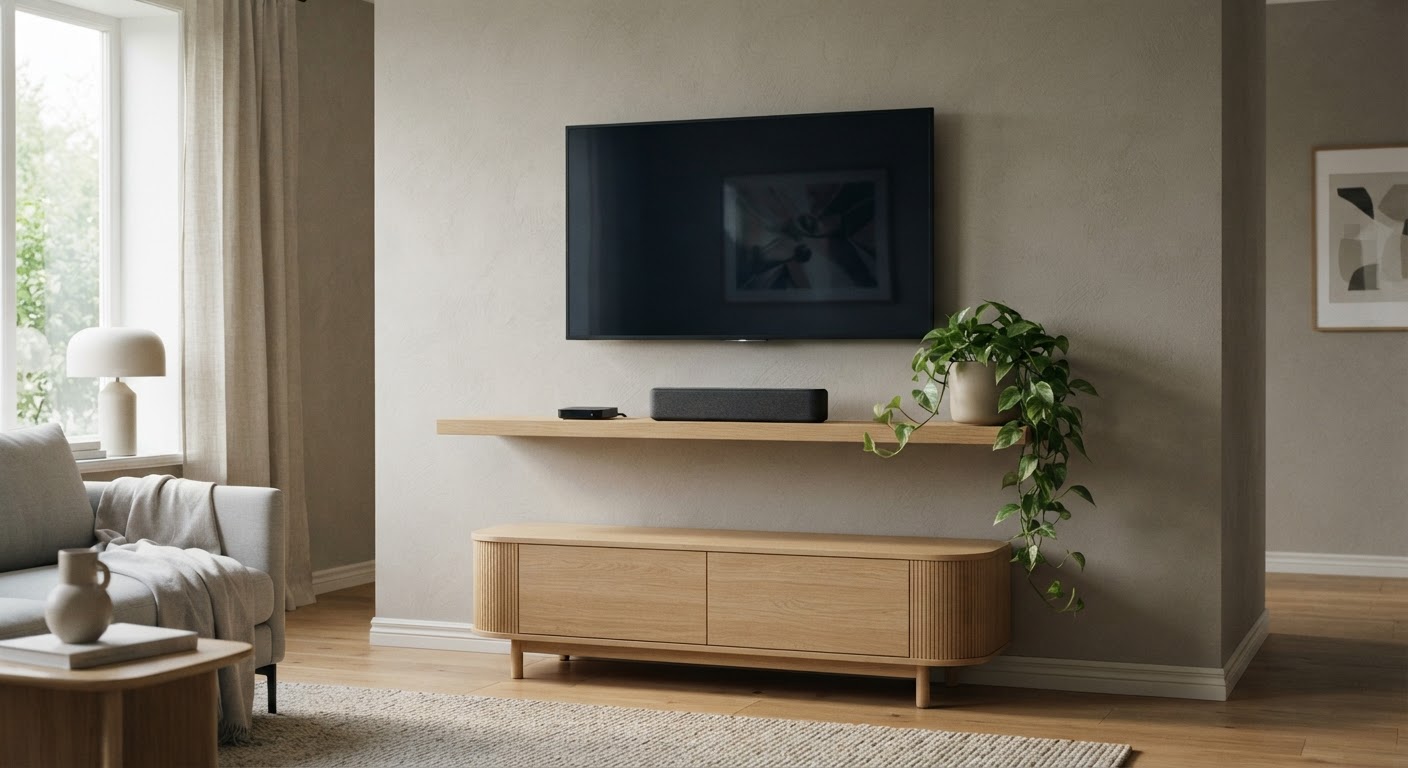
Floating TV Shelf: Can It Hold a TV? Sizing, Weight & Height Guide
A floating TV shelf is a wall-mounted shelf or slim shelf unit that attaches with hidden brackets and leaves no legs on the floor. The name is used for three different products, and they are not interchangeable:
- A component shelf — a small, deep shelf that carries a streaming box, cable box or router, either on the wall or clipped to the back of the TV.
- A floating shelf or shelf unit — a long shelf, sometimes with a small cabinet, mounted under, beside or above a wall-mounted TV for a soundbar, game console and decor.
- A shelf that carries the TV itself — the television stands on the shelf, so the shelf is doing the job of a TV stand.
The width, depth and height questions are similar for all three, but the weight rating decides whether the third use is even possible. Most products sold as "floating TV shelves" are built for electronics, not for a television. This guide works through the real numbers — shelf capacities, screen and chassis widths from the tv-sizes database, and mounting height — so you can pick a shelf that is both safe and well proportioned.
Quick answers
| Question | Short answer |
|---|---|
| Can a floating shelf hold a TV? | Only if it is rated for the TV's weight with margin and anchored into studs or solid wall. Most "floating TV shelves" are 6–70 lb electronics shelves, and several listings state they are not made to support a TV. |
| How wide should a floating TV shelf be? | It does not have to match the TV. A shelf under a wall-mounted TV reads as balanced at roughly 50–70% of the TV's width. If the TV sits on the shelf, the shelf must be at least as wide as the TV's feet — often nearly the full chassis width. |
| How deep should it be? | 8–10" for a component shelf, 10–16" for a media shelf with a soundbar or console. If the TV stands on it, allow at least ~12" so the feet sit fully on the shelf. |
| How high should it be mounted? | For gear under a wall-mounted TV, just below the bottom edge with a few inches of clearance. If the TV sits on the shelf, aim for screen center near seated eye level (roughly 42–45"). |
| Does it need to hit studs? | Yes for anything heavy. A shelf carrying a TV or a loaded media shelf should be fixed into studs, or into masonry with suitable anchors. Rated hollow-wall anchors are only for light component shelves. |
Can a floating shelf hold a TV?
A floating shelf is a cantilever: the load hangs off the wall, so the stress is the weight multiplied by how far it sits from the wall, plus the outward pull every time someone leans on the shelf or tugs a cable. That is why shelf weight ratings are surprisingly low compared with the furniture underneath them.
Real ratings from products sold as floating TV shelves (checked during research; always confirm on the current listing):
| Product | Stated capacity | What it is built for |
|---|---|---|
| Mount-It! Floating TV Shelf (MI-896) | 6.6 lb | Streaming boxes, cable boxes, small electronics |
| FITUEYES 41.3" floating console | 42 lb maximum (a 55 lb load figure also appears in the listing) | AV gear; listing states it is not made to support a TV |
| GHC 43.3" floating TV stand | 70 lb | Media gear; listed alongside a wall-mounted TV up to 65" |
| EXQUAL 71" solid wood floating console | 110 lb support | Heavier media gear and decor |
The pattern is clear: capacities run from about 6 lb for a genuine component shelf to roughly 110 lb for a solid-wood wall console. A shelf rated at 6.6 lb is designed to hold a streaming device — not a television. Before putting any TV on a shelf, find the TV's own listed weight on its spec sheet or manual, add the weight of anything else on the shelf, and leave a safety margin.
Two more fit points decide whether a shelf can physically carry a TV:
- The feet, not the screen. A TV sits on its own stand/feet, and those feet must be fully supported. If the shelf is narrower than the feet, the TV is balanced on the edge of the shelf.
- Center stand versus edge legs. TVs with a central pedestal need far less shelf width than TVs with legs near the corners. In the tv-sizes database, the same 65-inch screen class includes stand widths from 17" (center pedestal) to 61" (edge legs). Only the narrower pedestal stands have any chance of sitting safely on a single shelf.
The safe default: wall-mount the television with a proper TV wall mount and use the floating shelf for the gear below it. Reserve shelf-as-TV-stand setups for shelves explicitly rated for the full TV weight and bolted into structure. For more on wall fixing, see the wall-mount considerations and this fixed wall-mount guide for a Samsung UN50RU7100.
How wide should a floating TV shelf be?
There are two width numbers to keep apart: the theoretical 16:9 screen width (pure geometry from the diagonal) and the real chassis width of the television (its physical body, measured in the tv-sizes database). These are theoretical screen dimensions, not TV body measurements:
| TV class | Screen width (theoretical 16:9) | Screen height (theoretical 16:9) | Screen area |
|---|---|---|---|
| 32" | 27.9" | 15.7" | 3.0 sq ft |
| 43" | 37.5" | 21.1" | 5.5 sq ft |
| 50" | 43.6" | 24.5" | 7.4 sq ft |
| 55" | 47.9" | 27.0" | 9.0 sq ft |
| 65" | 56.7" | 31.9" | 12.5 sq ft |
| 75" | 65.4" | 36.8" | 16.7 sq ft |
| 85" | 74.1" | 41.7" | 21.4 sq ft |
Real chassis widths measured from the tv-sizes database:
| TV class | Most common chassis width | Range in the database |
|---|---|---|
| 32" | 29–31" | 29–34" (plus a few data outliers) |
| 40" | 36–37" | 36–37" |
| 43" | 38–39" | 38–43" |
| 50" | 44–45" | 44–49" |
| 55" | 49" | 48–51" |
| 65" | 57–58" | 57–64" |
| 75" | 66–67" | 66–67" |
| 85" | 76" | 76" (single model in the database) |
A shelf does not need to match those widths. Use them as the reference for proportions:
- Shelf under a wall-mounted TV (for gear): a shelf from about half to two-thirds of the TV width looks deliberate; the TV floats above it and the shelf reads as a slim media ledge. A tiny 8–20" component shelf is also fine — it just reads as an accessory rather than furniture.
- Shelf carrying the TV (TV on the shelf): the shelf must be at least as wide as the TV's feet, and for edge-leg TVs that means essentially the full chassis width. For a 55" TV with edge legs that is a 48–51" shelf, not a 24" one.
| TV class | Balanced shelf width under a wall-mounted TV | Minimum shelf width if the TV sits on it (edge legs) |
|---|---|---|
| 32" | 18–31" | ~29–31" |
| 43" | 24–39" | ~38–39" |
| 50" | 28–45" | ~44–45" |
| 55" | 30–49" | ~48–49" |
| 65" | 36–58" | ~57–58" |
| 75" | 42–67" | ~66–67" |
| 85" | 48–76" | ~76" |
If you are reusing a shelf you already own, the fit calculator can compare its width and depth against any TV's measured numbers.
How deep should a floating TV shelf be?
Depth is where shelves fail quietly. A shelf can be wide and still be too shallow for the gear or the TV's feet.
- Component shelf: around 7–8" deep. The Mount-It! MI-896, for example, is 7.9" deep — enough for a streaming box or router, not for a full-size AV receiver.
- Media shelf or slim floating console: around 10–16". A soundbar typically needs only a few inches of depth, but a game console, DVR or AV receiver needs much more. Measure the deepest device you plan to put on the shelf before you buy.
- Shelf carrying the TV: allow at least ~12" of usable depth so the TV's feet sit completely on the shelf. Check your own model's feet, because some are deeper than the shelf you had in mind.
Depth also affects the look. A shelf that is deeper than the wall-mounted TV above it can jut awkwardly into the room, while a very shallow shelf makes a soundbar look precarious. Matching the shelf depth roughly to the depth of the gear (plus an inch or two) keeps the wall clean.
How high should you mount a floating TV shelf?
Height depends entirely on which of the three jobs the shelf is doing.
Shelf under a wall-mounted TV (gear or soundbar). Mount it just below the bottom edge of the TV, leaving a small gap so cables can pass and remote sensors are not blocked. A few inches of clearance is plenty; if a soundbar sits on the shelf, allow enough room that the soundbar's drivers are not firing straight into the underside of the TV.
Shelf carrying the TV. Now the shelf top sets the screen height, so use the same logic as any TV stand: the screen center should land near your seated eye level, commonly around 42–45" from the floor depending on your seating. Work backward from that: shelf top height = desired screen-center height − half the screen height. A 65-inch TV has a theoretical screen height of about 32", so its center is ~16" above the screen's bottom edge — a shelf top around 22–26" usually lands the center in the right band. A 55-inch screen wants a slightly higher shelf; a 75-inch screen a slightly lower one. The viewing distance and height guide covers the eye-level and distance side in more detail.
Shelf above the TV. This is almost always decorative — a place for a plant or a frame. Keep it clear of the TV's top and side vents so heat can escape, and leave enough visual air that the shelf does not crowd the screen.
The viewing-distance calculator below is useful when the shelf height and TV size are being planned together, because the same screen looks very different at 6 feet and at 12 feet:
Viewing distance
How far is your seat?
Use this as a practical starting point, then adjust for your room and preferences.
- Mixed viewing
- 60″
- Cinema / 4K
- 80″
Three layouts (and how they change the sizing)
1. Floating shelf under a wall-mounted TV. The most common and lowest-risk layout. The TV is mounted independently, so the shelf only carries gear and decor. Width is flexible (roughly half to two-thirds of the TV looks best), depth should match the deepest device, and mounting height is just below the TV.
2. Floating shelf as the TV base. The TV stands on the shelf. This is the layout that needs the most care: shelf capacity must exceed the TV's weight with margin, the shelf must be anchored into studs or solid masonry, and the shelf must be wide enough for the feet. It can look excellent with a center-pedestal TV and a chunky solid-wood shelf, and it replaces a floor console entirely.
3. Floating shelf above or beside the TV. An asymmetry or display shelf. Sizing is mostly aesthetic, but keep it clear of vents and avoid a shelf so deep it overhangs the screen. This is the layout where decorative items and small speakers make the most sense.
Real TVs and their measured widths
The numbers that matter when you check a shelf against a specific television are its chassis width and its stand/feet width. Examples from the tv-sizes database:
| Model | TV width | Stand/feet width |
|---|---|---|
| Samsung 43" 4K Ultra HD TV | 39" | 33" |
| LG 55" OLED (4K HDR) | 49" | 17" |
| Sony 55" OLED (4K HDR) | 49" | 49" |
| Samsung 65" 4K UHD TV with HDR | 57" | 38" |
| VIZIO 65" 4K UHD Home Theater Display | 58" | 53" |
| Sony 75" 4K Ultra HD TV with HDR | 67" | 17" |
| LG 75" 4K Ultra HD TV | 67" | 68" |
Notice the two 55" OLEDs: identical 49" chassis widths, but one has a 17" center pedestal and the other has 49" edge legs. A narrow shelf could carry the first safely and not the second. That is why you measure your own TV's feet before choosing a shelf — and why the TV stand guides use the same feet-first logic.
Fit calculator
Measure the furniture.
We’ll size the screen.
Enter the clear inside width of your cabinet and the usable width of its base.
Real floating TV shelves and what they can carry
The products below are real listings found during research. Capacities and dimensions are quoted from the listings or the manufacturer; confirm them on the current page before buying:


Mounting and anchoring: the part that keeps a shelf on the wall
A floating shelf has no legs to share the load with the floor, so its brackets and fasteners carry everything.
- Anchor into studs for any shelf that holds a TV or a loaded media stack. Use the supplied heavy-duty bracket hardware and catch two studs where the shelf is long enough.
- Masonry (concrete, brick, block) is strong; use the correct masonry anchors and drill carefully. There are no studs to find.
- Drywall alone is only appropriate for light component shelves with genuinely rated hollow-wall anchors. A 6.6 lb streaming shelf is a fine candidate; a shelf holding a TV is not.
- Plaster and metal studs need the right fasteners — plaster crumbles around ordinary screws, and metal studs require toggling or self-drilling fixings rated for the load.
- Budget the load. Add the shelf, the gear, and the TV if it stands on the shelf, then pick fixings with margin above that total. The further the load sits from the wall, the greater the pull-out force at the top of the bracket.
If the TV is wall-mounted independently and the floating shelf only carries gear, the mounting problem is much smaller — which is the strongest argument for layout 1.
Bottom line
A floating TV shelf is sized in three steps. First, decide what the shelf is for: if it only carries electronics, almost any slim wall shelf works once it is anchored sensibly. If the TV stands on it, the shelf must be rated for the TV's weight with margin, fixed into studs or solid wall, and at least as wide as the TV's feet. Second, size the width from the real chassis width of your TV — roughly half to two-thirds for a shelf under a wall-mounted screen, or essentially full width if the TV sits on the shelf. Third, set the height so the gear clears the TV, or so the screen center lands at your seated eye level when the TV stands on the shelf. Check your TV's measured width and stand width in the 55", 65" and 75" archives, confirm the shelf's rating, and the floating look takes care of itself.
Related guides on tv-sizes.com
- Floating TV stand: sizing, mounting and load — the fuller wall-mounted console version of this guide
- Sizing a floor console: TV stand for a 65 inch TV, TV stand for a 75 inch TV and TV stand for an 85 inch TV
- TV screen size comparison — how width, height and area scale across classes
- Browse real measured TVs in the 32", 43" and 65" archives, or search the whole database at /tvs/
- Wall-mount considerations for mounting the TV itself, and the viewing distance / height guide
As an Amazon Associate we earn from qualifying purchases. Price and availability can change.