
TV-Sizes journal
Corner TV Stand: How to Measure Your Corner and Size the Stand to Your TV
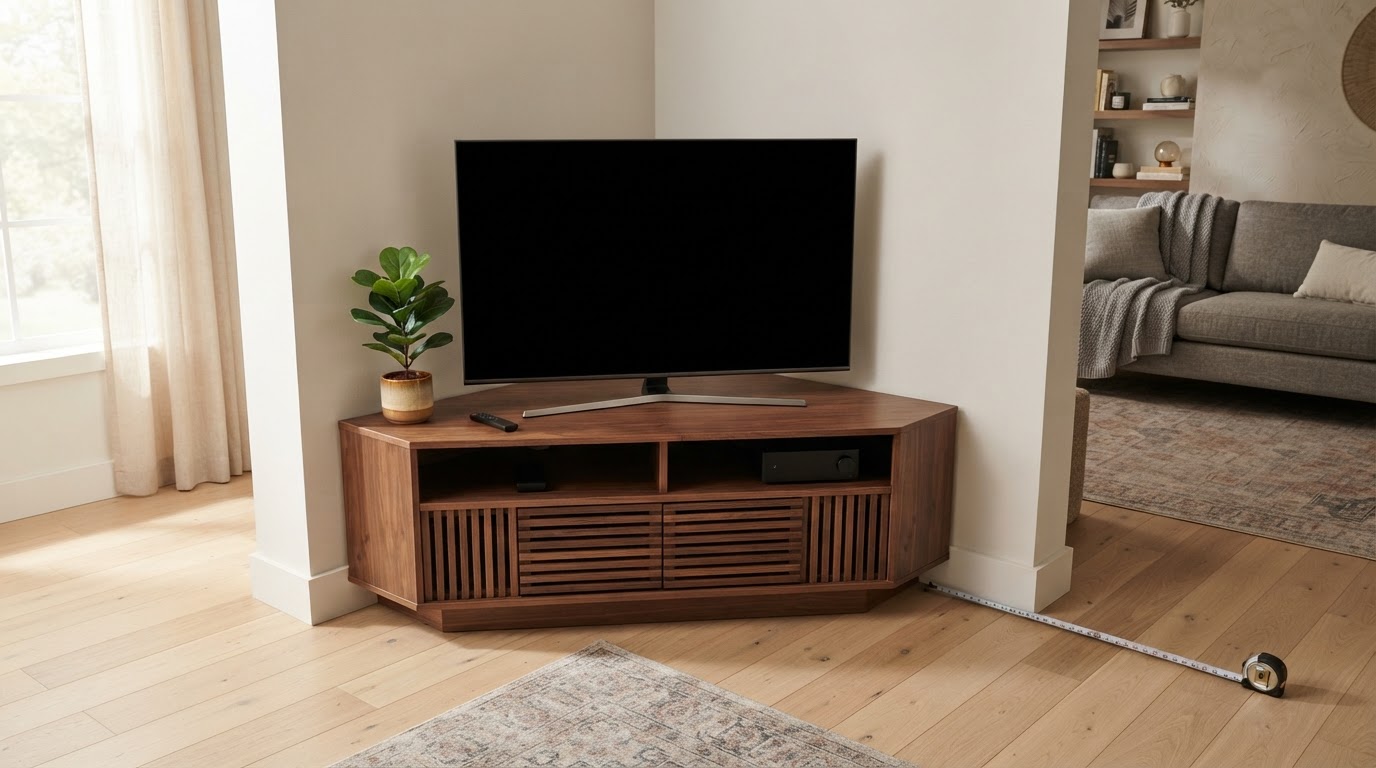
Corner TV Stand: How to Measure Your Corner and Size the Stand to Your TV
A corner TV stand is an angled console or floor stand built to sit in the 90-degree space where two walls meet. It saves floor space, hides cables in the corner seam and turns a dead corner into a usable focal point. The catch is that corner stands are sized differently from straight consoles: what matters is the front width of the corner top and the span of your TV's feet, not the screen diagonal.
"Fits TVs up to 55 inches" is a starting point, not a guarantee. The corner consoles we checked while researching this guide ranged from 34 to 58 inches of front width, and TVs of the same screen class can have feet spans from a narrow center pedestal to wide edge legs. This guide covers the corner measurements, the width you need for 43-85 inch TVs, the height and viewing-angle trade-offs, and real corner stands that match the numbers.
Quick answers
| Question | Short answer |
|---|---|
| How wide should a corner TV stand be? | At least as wide as your TV's feet, and close to the TV's full width if it has edge legs. Aim for a 48-52 inch front for a 55-inch TV and 56-60 inches for a 65-inch TV. |
| Can a 65-inch TV go on a corner stand? | Yes, if the front is 56-60 inches (edge legs) or if the TV has a center pedestal that fits a 46-inch top. Check the weight rating and the depth where the feet land. |
| Will a 75-inch TV fit? | Usually not. The corner consoles we found top out at 58 inches of front width; a 75-inch TV is 66-67 inches wide with edge legs up to 68 inches. Plan on a wall mount or a wide straight console. |
| How much wall does a corner stand use? | For a true 45-degree wedge, about front width ÷ 1.41 per wall. A 46.5-inch front uses roughly 33 inches per side; a 55-inch front about 39 inches. |
| Can I put a regular TV stand in a corner? | Yes, but it leaves a triangular gap behind one end and the screen usually ends up parallel to one wall rather than angled into the room. |
| Is a corner a good place for a TV? | It works when the seating faces the corner diagonally. A screen angled at 45 degrees is off-axis for anyone sitting parallel to a wall, and the two walls add reflections. |
What makes a corner TV stand different
- Front width is the usable width. A corner top is deepest at the center and shallower toward its ends. A TV with feet near its own corners needs support near the front corners of the stand, not just a front width that is numerically larger than the TV.
- The footprint runs along two walls. You need clear wall on both sides of the corner plus the projection into the room, which is what determines whether the unit blocks a door, window, radiator or walkway.
- The weight sits on a smaller base. A wedge has less floor area than a rectangular console of the same width, so the weight rating and leg quality matter more.
- The screen faces the room at an angle. A TV in a corner is roughly 45 degrees to each wall. That is ideal for a sofa placed diagonally opposite and less ideal for a sofa running parallel to one wall.
- Two products share the name. A corner console carries the TV on its top; a corner floor stand carries it on a VESA mount above a wedge-shaped base. The width rules below apply to the console.
Step 1: Measure the corner before you shop
- Check that the corner is square. Measure 3 feet along one wall and 4 feet along the other. If the diagonal between the marks is 5 feet, the corner is 90 degrees. If it is noticeably off, a true 45-degree corner unit will leave a wedge-shaped gap on one side.
- Measure clear wall on both sides. Start at the corner and stop at the first door, window, radiator, fireplace or light switch. A 55-inch-front console uses about 39 inches per wall; if one side has only 30 inches clear, it will not sit down into the corner.
- Measure the projection into the room. For a true 45-degree wedge, the front face sits roughly half the front width out from the corner: about 23 inches for a 46.5-inch front, 27.5 inches for a 55-inch front and 29 inches for a 58-inch front. Real consoles are trapezoidal or hexagonal, so use the listing's footprint or a cardboard template.
- Check the baseboard and outlets. Many corner units have a notch at the back for baseboard; without one, the unit sits forward and the corner gap grows. Corners often have a low outlet, so note its height and whether the console back has a cutout.
- Look at what is next to the corner. A door needs swing clearance, a window limits how high the TV can go, and a fireplace or heater raises heat and clearance questions.
Sketch the two wall lengths, the projection and the outlet position. That sketch is the difference between a stand that fits the TV and one that fits the room.
Step 2: Size the stand to your TV's feet
The screen diagonal tells you nothing about the stand. Three measurements do:
- Theoretical 16:9 screen width — geometry from the diagonal, useful as a scale reference.
- Real chassis width — the actual TV body, measured in the tv-sizes database.
- Real feet span — the distance between the outer edges of the feet. This is what the corner top has to carry.
Theoretical 16:9 screen dimensions for common classes:
| TV class | Screen width (theoretical) | Screen height (theoretical) | Screen area |
|---|---|---|---|
| 43" | 37.5" | 21.1" | 5.5 sq ft |
| 50" | 43.6" | 24.5" | 7.4 sq ft |
| 55" | 47.9" | 27.0" | 9.0 sq ft |
| 65" | 56.7" | 31.9" | 12.5 sq ft |
| 75" | 65.4" | 36.8" | 16.7 sq ft |
| 85" | 74.1" | 41.7" | 21.4 sq ft |
These are theoretical screen dimensions calculated from the diagonal at 16:9, not chassis measurements. The physical TV is a little wider, and the feet are what touch the stand.
Real chassis and feet widths from the database:
| TV class | Real chassis width | Real feet span in the database |
|---|---|---|
| 43" | 38-39" | 22-35" |
| 50" | 44-45" | 25-44" (one 50") |
| 55" | 48-49" | 20-45" |
| 65" | 57-58" | 20-53" |
| 75" | 66-67" | 20-68" |
| 85" | 76" | 28" (one model) |
The spread inside one class is the whole problem:
- Center pedestal or narrow feet. The feet sit near the middle, so the top only needs to be wider and deeper than the pedestal with a margin. A 65-inch TV with a 20-inch pedestal can sit on a 46-inch corner top.
- Edge legs. The feet sit near the TV's corners, so the top must be nearly as wide as the TV body. A 65-inch TV with 52-53 inch edge legs needs a 56-60 inch corner front.
Real examples show the difference:
| Model | TV width | Feet span | What it means in a corner |
|---|---|---|---|
| Samsung UN65MU8000 | 57" | 38" | Feet fit a 46-58" front; check the depth where they land |
| Sony XBR65X900E | 57" | 20" | Center pedestal: a 46" corner console can carry it |
| LG 65UJ6300 | 57" | 52" | Wide edge legs: needs a 56-60" front |
| VIZIO M65-E0 | 58" | 53" | Wide edge legs: needs the widest corner console you can find |
| Sony XBR55X900E | 49" | 20" | Center pedestal: a 46" console works |
| TCL 55S405 | 49" | 39" | Edge legs: target a 48-52" front |
| Sony 75" XBR | 66" | 20" | Center pedestal, but the TV overhangs a 58" console by 4" per side; check weight and depth |
| LG 75UJ6470 | 67" | 68" | Feet wider than the chassis: a standard corner console cannot carry it |
Ignore the "up to" rating until you have checked both the front width and the feet. A console rated "up to 55 inches" may have a 46.5-inch front: fine for a 55-inch TV with a center pedestal or a 50-inch TV with edge legs, but too narrow for a 55-inch TV whose legs sit near its 48-49 inch body width.
Fit calculator
Measure the furniture.
We’ll size the screen.
Enter the clear inside width of your cabinet and the usable width of its base.
Corner TV stand width chart
This assumes the TV sits on top and has edge legs. For a center pedestal, the minimum is your measured feet span plus a couple of inches.
| TV size | Theoretical width | Typical chassis width | Corner front width to aim for | Wall used per side at 45 degrees |
|---|---|---|---|---|
| 43" | 37.5" | 38-39" | 38-44" | 27-31" |
| 50" | 43.6" | 44-45" | 44-48" | 31-34" |
| 55" | 47.9" | 48-49" | 48-52" | 34-37" |
| 65" | 56.7" | 57-58" | 56-60" | 40-42" |
| 75" | 65.4" | 66-67" | 64-68" | 46-48" |
| 85" | 74.1" | 76" | 74-78" | 52-55" |
The wall column is geometry, not a product specification: front width divided by 1.41 for a true triangular wedge. It is the number to compare with the clear wall you measured in step 1.
The 75-inch and 85-inch rows are realistically outside the corner-console market: their target fronts are wider than the 58-inch maximum we found. Those sizes belong on a wall mount, a wide straight console or a custom built-in.
One more check the chart cannot do: the feet must land on the top, not just inside the front width. On a triangular or trapezoidal top, depth shrinks toward the back. Put the TV on the stand before loading the shelves and look at where each foot actually sits.
Height, viewing angle and distance
If the TV sits on the console, the screen center is roughly:
console top height + half the screen height + the height the feet add
Using theoretical screen heights, that is about 13.5 inches above the top for a 55-inch TV, 16 inches for a 65-inch TV and 18.4 inches for a 75-inch TV:
| TV size | Screen center above the console top | Console top for a 42-45" screen center |
|---|---|---|
| 43" | 10.5" | 31-34" (before feet) |
| 50" | 12.3" | 30-33" |
| 55" | 13.5" | 28-31" |
| 65" | 15.9" | 26-29" |
| 75" | 18.4" | 24-27" |
Subtract the height your TV's own feet add. Several of the verified corner consoles are only 20-23 inches tall, which puts a 65-inch screen center around 36-39 inches — below the usual 42-45 inch eye level. That suits reclined seating and a low lounge look; if you sit upright, a taller console (around 30-32 inches) or a wall-mounted TV lands closer to eye level.
Angle and reflections. If the sofa sits diagonally opposite the corner, the screen faces it almost square-on and a corner is an excellent arrangement. If the sofa runs parallel to one wall, you are watching at roughly 45 degrees off-axis, where some panel types lose contrast and color. Check the seat before you commit, and check the corner at the time of day you watch: two adjacent walls give a screen two families of reflection paths.
Distance. Corner placement usually increases the distance from sofa to screen because you measure across the room diagonal. The site's guidance uses about 1.2× the diagonal for cinema/4K and 1.6× for mixed viewing: roughly 5.5-7.3 feet for a 55-inch TV, 6.5-8.7 feet for a 65-inch and 7.5-10 feet for a 75-inch. Measure from the screen face to your eyes in the actual seat.
Viewing distance
How far is your seat?
Use this as a practical starting point, then adjust for your room and preferences.
- Mixed viewing
- 60″
- Cinema / 4K
- 80″
Types of corner TV stands
| Type | How it holds the TV | Best for | Watch out for |
|---|---|---|---|
| Corner console or cabinet | TV sits on top | Living rooms, bedrooms, storage | Front width, top depth, weight rating |
| Corner fireplace console | TV on top or above an electric fireplace | A focal corner, small rooms | Heat clearance, height, weight |
| Corner floor stand with VESA mount | TV hangs on a column over a wedge base | Renters, bedrooms, small spaces | Base footprint, VESA pattern, weight limit, tipping |
| Corner wall mount | Articulating arm on the wall | 65-85 inch TVs, no floor space | Studs or blocking, arm reach, cable route |
| Rolling corner stand | VESA mount on a wheeled cart | Rooms that change layout | Locking casters, tipping, cable slack |
| Built-in corner unit | Custom carpentry | Maximum storage, clean look | Cost, ventilation, access to plugs |
Corner console. The classic option, with a top for the TV and shelves or doors for gear. Its limitation is width: most corner consoles are narrower than a large TV, so only the widest can carry a 65-inch TV with edge legs.
Corner fireplace console. A corner cabinet with an electric fireplace, usually with the TV on top. Heat is the extra variable: follow the fireplace manufacturer's clearance instructions, keep the TV's vents clear and check the top's weight rating. See the fireplace TV stand guide for heat and height.
Corner floor stand with a VESA mount. The TV hangs on a column over a trapezoidal or easel-style base. It is renter-friendly, often swivels and fits a 32-65 inch TV with a smaller furniture footprint, but adds a visible column and strict VESA and weight limits.
Corner wall mount. The best answer for a 75-inch or 85-inch TV in a corner. A full-motion arm lets you angle the screen toward the seating and keeps the floor clear, but it needs solid fixing and a planned cable route. Wall type matters here: drywall needs studs or added blocking, plaster and masonry need the right anchors, and metal studs need rated toggles. See the wall-mount section and the floating TV stand guide if you want a wall-mounted console below the screen.
Corner console vs straight console vs wall mount
| Option | Floor footprint | TVs it suits | Viewing angle | Notes |
|---|---|---|---|---|
| Corner console | Wedge, projecting about half its front width | Usually up to 65" | Fixed at about 45 degrees to the walls | Best corner fit, but limited widths |
| Straight console pushed into the corner | Rectangle plus a dead triangle behind | Up to 85" if wide enough | Screen parallel to one wall | Cheaper, more widths, wastes corner space |
| Wall mount with an articulating arm | None | 65-85" and larger | Adjustable | Best for big TVs; needs studs or blocking |
| Corner floor VESA stand | Base plus column | Commonly 32-65" | Often swivels | No drilling; check VESA and weight |
A straight console can go in a corner. It leaves a triangular gap behind one end and the screen ends up parallel to one wall, but straight consoles come in much wider sizes. The size-specific guides go deeper: TV stand for a 65 inch TV, TV stand for a 75 inch TV and TV stand for an 85 inch TV.
Depth, soundbars, weight and cables
Depth. The verified corner consoles are 15-15.7 inches deep. That is workable for many TV feet but not generous, and usable depth on a corner top shrinks toward the back. Measure your TV's feet front-to-back.
Soundbars. A corner console's front is often only a few inches wider than the TV, and the top is shallow. A soundbar wider than the front will overhang, and one deeper than the remaining top will hang over the front edge. Check both dimensions, or plan a soundbar mount.
Proportions. A front width within a few inches of the TV width looks balanced. A console much narrower than the TV makes the screen look oversized and leaves the feet near the edges; a console much wider than the TV can crowd the corner and make the screen look small.
Storage and mounting. If you want storage, choose a corner console with doors or open shelves; if you want the TV off the top, choose a corner floor VESA stand or a corner wall mount instead. The "with storage" and "with mount" versions are different products even when the photos look similar.
Weight. Ratings vary widely: among the verified listings, tops and consoles are rated for 60 lb, 100 lb, 200 lb and 300 lb. Read whether the number applies to the top, the whole unit or a shelf, then add the TV's spec-sheet weight plus everything you will store. If the rating is unclear, a wall mount takes the TV's weight off the cabinet.
Cables. The corner seam is one of the easiest places to hide a run: a raceway tucked into the 90-degree joint is almost invisible. Many corner consoles also have pre-cut back holes (the Crosley Camden has two). Plan the route before the unit goes in: outlet behind the console, cables through the back cutout, TV cables down the corner seam.
Ventilation. Leave a little space behind the TV and around the console's back so heat can escape.
Real corner TV stands that fit common sizes
These are real products verified on Amazon during research. Widths and ratings come from each listing's title, bullets or size field; they are not test results. Confirm the current specification and load rating on the listing before buying. These are affiliate links, and tv-sizes.com may earn a commission from qualifying purchases.


Corner TV stand FAQ
How wide should a corner TV stand be?
At least as wide as your TV's feet with a couple of inches of margin. With edge legs, use the TV's chassis width as the minimum: 48-52 inches for a 55-inch TV and 56-60 inches for a 65-inch TV. With a center pedestal, a 46-inch corner top can carry a 65-inch TV.
How do I measure a corner for a TV stand?
Check the corner with the 3-4-5 method (3 feet along one wall, 4 feet along the other, 5 feet across the diagonal). Measure clear wall on both sides to the first obstruction, then the projection into the room. For a true 45-degree wedge, wall per side is about front width ÷ 1.41, and projection is about half the front width.
How big of a TV can I put in a corner?
A 65-inch TV is realistic on a 56-60 inch corner console with edge legs, or a 46-55 inch console with a center pedestal. A 75-inch TV needs a 64-68 inch front for edge legs, wider than most corner consoles, so a wall mount or wide straight console is usually better. An 85-inch TV (76 inches wide) is almost always a wall-mount or custom solution.
What is a corner fireplace TV stand?
It is a corner cabinet with an electric fireplace, usually with the TV on top. It saves floor space and creates a focal point, but heat clearance, the top weight rating and the screen height all matter. Keep the TV vents clear and follow the fireplace manufacturer's instructions; the fireplace TV stand guide covers the heat and height details.
Can you put a TV mount in a corner?
Yes. A full-motion or articulating wall mount is often the best corner solution because it lets you pull the TV out and angle it toward the seating. It must be fixed into studs or blocking, and the arm reach and cable route need planning. A corner floor VESA stand is the no-drilling alternative.
Is a corner a bad place for a TV?
Not inherently, but it is a compromise. A corner screen is about 45 degrees off-axis for anyone sitting parallel to a wall, and the two adjacent walls add reflection paths. It works best when the main seating faces the corner diagonally, when the TV can swivel, or when the room leaves no better wall.
Do corner TV stands fit 65-inch TVs?
Some do, but the "up to 65 inches" label is not enough. A 65-inch TV is 57-58 inches wide, and edge legs can span 52-53 inches. A 58-inch corner console can work; a 46-inch one only works with a center pedestal. Check the weight rating and the depth where the feet land.
Related guides on tv-sizes.com
- TV stand for a 65 inch TV, TV stand for a 75 inch TV and TV stand for an 85 inch TV for straight-console width and minimum-size math
- Fireplace TV stand and floating TV stand for the other corner-friendly stand types
- TV screen size comparison for how width, height and area scale
- Browse real measured TVs by size: 55-inch, 65-inch, 75-inch and 85-inch archives, or by feet span in the 20-inch, 33-inch, 38-inch and 53-inch stand-width archives
- Check your numbers with the TV size calculator and the viewing distance guide, or search every model in the TV database
Bottom line
Size a corner TV stand in three checks. Measure the corner: both wall lengths, the projection into the room and whether the angle is square. Match the stand's front width to your TV's feet span, not to the diagonal or the "up to" rating — a center pedestal is forgiving, while edge legs need a front close to the TV's full chassis width. Then check height and angle: a low corner console can put a 65-inch screen center below eye level, and a fixed 45-degree screen is off-axis for anyone sitting parallel to a wall.
For a 55-65 inch TV, a 48-60 inch corner console is the realistic range. For a 75-inch or 85-inch TV, plan on a wall mount or a wide straight console unless you are building something custom. Measure the feet, measure the corner, and the right stand is much easier to spot.
As an Amazon Associate we earn from qualifying purchases. Price and availability can change.