
TV-Sizes journal
TV Screen Size Comparison: Width, Height & Area of Every Common Size
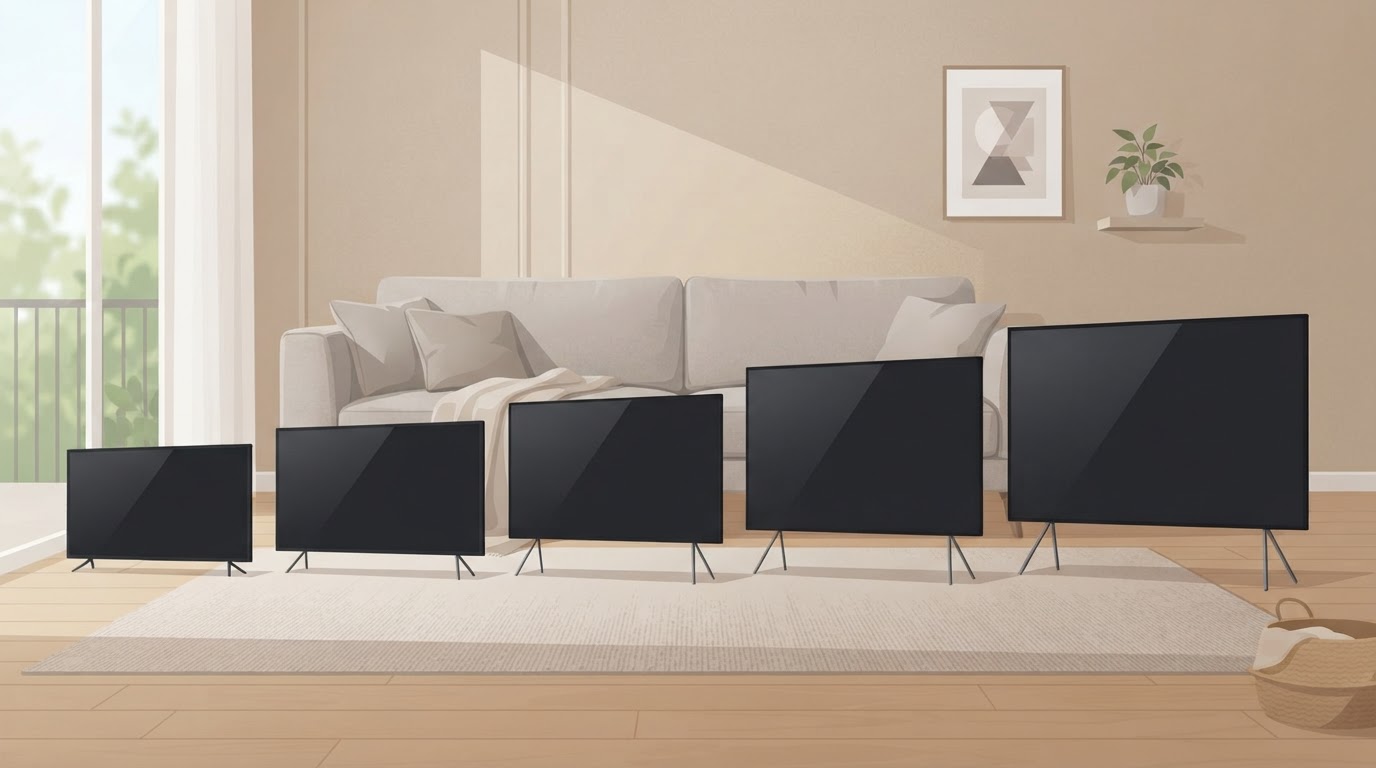
TV Screen Size Comparison: Width, Height & Area of Every Common Size
A "65-inch TV" is not 65 inches wide. The number is the screen diagonal — and once you compare sizes properly, the numbers that matter are the screen's width, height and area, plus the real width of the TV's chassis and stand.
Here is the short version before the details:
- Screen width grows roughly 0.87 inches for every 1 inch of diagonal. A 55-inch screen is about 47.9 inches wide; a 65-inch screen is about 56.7 inches wide.
- Screen area grows much faster than the diagonal. Going from 55 to 65 inches adds about 40% more screen area; 65 to 75 adds about 33% more.
- The physical TV is wider than the screen. Real 55-inch TVs are about 48–49 inches wide, real 65-inch TVs about 57–58 inches wide, and real 75-inch TVs about 66–67 inches wide, depending on the bezel.
- Viewing distance and furniture are part of the comparison. A 65-inch TV wants roughly 8.7 feet of mixed-viewing distance and a ~60-inch console; a 55-inch TV wants roughly 7.3 feet and a ~50-inch console.
Below you get the full comparison table for every common size, quantified step-ups, the real-model data that most size charts skip, and the viewing-distance and furniture math to turn the numbers into a buying decision.
What "screen size" actually measures
All modern TVs use a 16:9 widescreen aspect ratio. If you know the diagonal, the screen rectangle is fixed by geometry: width = diagonal × 0.8716, height = diagonal × 0.4903.
Two things to keep straight:
- Theoretical 16:9 screen dimensions — the width/height/area of the panel itself, calculated from the diagonal. Every TV with the same diagonal has (almost) the same screen geometry.
- Real chassis dimensions — the actual physical TV, including the bezel/frame. Real TVs are a little wider and taller than the theoretical screen, and the stand/feet width varies wildly even between same-size models.
This page uses the tv-sizes database of real, measured TVs for the chassis and stand numbers, and clearly-labeled 16:9 geometry for the screen numbers.
The complete TV screen size comparison chart
Theoretical 16:9 screen dimensions for every common size, from small bedroom TVs to big screens. All screen figures below are theoretical 16:9 screen dimensions (computed from the diagonal), not the physical TV's chassis width.
| TV size | Screen width (16:9) | Screen height (16:9) | Screen area | Mixed viewing distance |
|---|---|---|---|---|
| 24″ | 20.9″ | 11.8″ | 1.7 sq ft | ~3.2 ft |
| 32″ | 27.9″ | 15.7″ | 3.0 sq ft | ~4.3 ft |
| 40″ | 34.9″ | 19.6″ | 4.7 sq ft | ~5.3 ft |
| 43″ | 37.5″ | 21.1″ | 5.5 sq ft | ~5.7 ft |
| 50″ | 43.6″ | 24.5″ | 7.4 sq ft | ~6.7 ft |
| 55″ | 47.9″ | 27.0″ | 9.0 sq ft | ~7.3 ft |
| 60″ | 52.3″ | 29.4″ | 10.7 sq ft | ~8.0 ft |
| 65″ | 56.7″ | 31.9″ | 12.5 sq ft | ~8.7 ft |
| 70″ | 61.0″ | 34.3″ | 14.5 sq ft | ~9.3 ft |
| 75″ | 65.4″ | 36.8″ | 16.7 sq ft | ~10.0 ft |
| 80″ | 69.7″ | 39.2″ | 19.0 sq ft | ~10.7 ft |
| 85″ | 74.1″ | 41.7″ | 21.4 sq ft | ~11.3 ft |
Two reads from this table:
- Width is the number that dictates room fit. A 65-inch TV is about 9 inches wider than a 55-inch, and a 75-inch is another 9 inches wider than that — but the TV is not 10 inches taller. Height grows only about 5 inches per step.
- Area is the number that dictates the experience. Each size step is a much bigger jump in actual screen than the diagonal suggests, because area scales with the square of the diagonal.
How much bigger is each size step?
Because area scales with the square of the diagonal, every step up buys a surprisingly large amount of extra screen. Here is the area gain for the most common upgrades (theoretical 16:9 screen area):
| Upgrade | Screen area before | Screen area after | Area added | Size increase |
|---|---|---|---|---|
| 24″ → 32″ | 1.7 sq ft | 3.0 sq ft | +1.3 sq ft | +78% |
| 32″ → 43″ | 3.0 sq ft | 5.5 sq ft | +2.5 sq ft | +83% |
| 43″ → 50″ | 5.5 sq ft | 7.4 sq ft | +1.9 sq ft | +35% |
| 50″ → 55″ | 7.4 sq ft | 9.0 sq ft | +1.6 sq ft | +21% |
| 55″ → 65″ | 9.0 sq ft | 12.5 sq ft | +3.5 sq ft | +40% |
| 65″ → 75″ | 12.5 sq ft | 16.7 sq ft | +4.2 sq ft | +33% |
| 75″ → 85″ | 16.7 sq ft | 21.4 sq ft | +4.7 sq ft | +28% |
The same numbers as a proportional area chart (each block is ~0.45 sq ft of theoretical 16:9 screen area):
24"  ████
32"  ███████
40"  ███████████
43"  ████████████
50"  █████████████████
55"  ████████████████████
60"  ████████████████████████
65"  ████████████████████████████
70"  ███████████████████████████████
75"  ████████████████████████████████████
80"  ███████████████████████████████████████
85"  ████████████████████████████████████████████
This is why a 55→65 upgrade feels like a much bigger TV than a 50→55 does: the diagonal grows by 10 inches in both cases, but the 55→65 step adds 40% more screen area versus just 21% for the 50→55 step.
55″ vs 65″ TV comparison
The most common upgrade decision. A 65-inch TV is meaningfully bigger — roughly 9 inches wider, 5 inches taller, and 40% more screen area — while demanding about 1.5 extra feet of viewing distance and a wider console.
| 55″ | 65″ | Difference | |
|---|---|---|---|
| 16:9 screen width | 47.9″ | 56.7″ | +8.8″ |
| 16:9 screen height | 27.0″ | 31.9″ | +4.9″ |
| Screen area | 9.0 sq ft | 12.5 sq ft | +3.5 sq ft (+40%) |
| Real chassis width (typical) | 48–49″ | 57–58″ | +~9″ |
| Mixed viewing distance | ~7.3 ft | ~8.7 ft | +1.4 ft |
| Cinema / 4K distance | ~5.5 ft | ~6.5 ft | +1.0 ft |
| Console width that works | ~50″ | ~60″ (50″ min for center pedestals) | +10″ |
Room-fit takeaway: if your seating is at least 8 feet away and your console is 60 inches or wider, a 65-inch TV is almost always the better buy — you get 40% more screen for a modest price step in most lineups. If you sit closer than ~7 feet, the 65-inch starts to overwhelm the field of view, and 55 inches is the better fit.
Real 55-inch and 65-inch models from the tv-sizes database (all 55-inch TVs, all 65-inch TVs):
| Model | Class | Chassis width | Stand width |
|---|---|---|---|
| LG OLED55B7A | 55″ | 49″ | 22″ |
| Samsung UN55MU8000FXZA | 55″ | 49″ | 44″ |
| LG OLED65B7A | 65″ | 57″ | 23″ |
| Samsung UN65MU6290FXZA | 65″ | 58″ | 48″ |
65″ vs 75″ TV comparison
The next step up, for larger rooms and home theaters. A 75-inch TV adds about 33% more screen area than a 65-inch, needs roughly 1.3 extra feet of seating distance, and wants a substantially wider console.
| 65″ | 75″ | Difference | |
|---|---|---|---|
| 16:9 screen width | 56.7″ | 65.4″ | +8.7″ |
| 16:9 screen height | 31.9″ | 36.8″ | +4.9″ |
| Screen area | 12.5 sq ft | 16.7 sq ft | +4.2 sq ft (+33%) |
| Real chassis width (typical) | 57–58″ | 66–67″ | +~9″ |
| Mixed viewing distance | ~8.7 ft | ~10.0 ft | +1.3 ft |
| Cinema / 4K distance | ~6.5 ft | ~7.5 ft | +1.0 ft |
| Console width that works | ~60″ | 70–75″ | +10–15″ |
Room-fit takeaway: a 75-inch TV is a furniture decision as much as a screen decision — the chassis is about 67 inches wide, so you are committing to a ~70-inch console (see the 75-inch TV stand guide) and a room where you can sit at least 9–10 feet back. If your room delivers that, the 75-inch is the clear upgrade; if not, the extra area goes to waste.
Real 65-inch and 75-inch models (all 65-inch TVs, all 75-inch TVs):
| Model | Class | Chassis width | Stand width |
|---|---|---|---|
| TCL 65C807 | 65″ | 57″ | 56″ |
| Sceptre U650CV-U | 65″ | 58″ | 60″ |
| Samsung QN75Q7F | 75″ | 66″ | 41″ |
| VIZIO M75-E1 | 75″ | 67″ | 61″ |
43″, 50″ and 55″: the mid-size comparison
For bedrooms, dens and smaller living rooms, the comparison runs 43 → 50 → 55. Each step adds less area than the big-screen steps, so size here is mostly about room fit and viewing distance.
| 43″ | 50″ | 55″ | |
|---|---|---|---|
| 16:9 screen width | 37.5″ | 43.6″ | 47.9″ |
| 16:9 screen height | 21.1″ | 24.5″ | 27.0″ |
| Screen area | 5.5 sq ft | 7.4 sq ft | 9.0 sq ft |
| Area vs previous size | — | +35% | +21% |
| Mixed viewing distance | ~5.7 ft | ~6.7 ft | ~7.3 ft |
| Console width that works | ~40″ | ~45–48″ | ~50″ |
Room-fit takeaway: 43-inch TVs fit a ~40-inch console and a bedroom comfortably; 50-inch is the sweet spot for a small living room; 55-inch needs a ~50-inch console and about 7 feet of viewing distance. If you're choosing between 43 and 50 inches, the 35% area gain is worth it whenever your wall space allows.
75″ vs 85″ TV comparison
The top of the mainstream market. An 85-inch screen is 74.1 inches wide with about 21.4 sq ft of area — 28% more than a 75-inch — and the physical chassis runs close to 76 inches wide, so this class is a serious room commitment.
| 75″ | 85″ | Difference | |
|---|---|---|---|
| 16:9 screen width | 65.4″ | 74.1″ | +8.7″ |
| 16:9 screen height | 36.8″ | 41.7″ | +4.9″ |
| Screen area | 16.7 sq ft | 21.4 sq ft | +4.7 sq ft (+28%) |
| Real chassis width | 66–67″ | ~76″ | +~9″ |
| Mixed viewing distance | ~10.0 ft | ~11.3 ft | +1.3 ft |
| Cinema / 4K distance | ~7.5 ft | ~8.5 ft | +1.0 ft |
| Console width that works | 70–75″ | ~80″ | +5–10″ |
Room-fit takeaway: 85-inch TVs need an 80-inch console (see the 85-inch TV stand guide) and about 10–11 feet of seating distance. Below that, the 75-inch is the more practical buy; the 85-inch only pays off in a dedicated media room.
Same diagonal, different TV: real chassis and stand widths
Here is where the tv-sizes database beats every generic chart: two TVs with the same diagonal can differ by a lot in physical size. The screen geometry is fixed by the diagonal, but the bezel adds width, and the stand/feet width ranges from a narrow center pedestal to full-width edge legs.
Real models from the database (screen class, measured chassis width, measured stand width):
| Model | Class | Chassis width | Stand width |
|---|---|---|---|
| Sony XBR43X800E | 43″ | 38″ | 22″ |
| Insignia 43″ Roku TV | 43″ | 38″ | 35″ |
| Sony XBR50X800E | 50″ | 45″ | 26″ |
| Sharp LC-50N7000U | 50″ | 49″ | 50″ |
| LG OLED55B7A | 55″ | 49″ | 22″ |
| LG 55UJ6300 | 55″ | 49″ | 45″ |
| Sceptre 55″ 4K | 55″ | 49″ | 49″ |
| Sony XBR65Z9D | 65″ | 58″ | 17″ |
| LG OLED65B7A | 65″ | 57″ | 23″ |
| Samsung UN65MU6290FXZA | 65″ | 58″ | 48″ |
| TCL 65C807 | 65″ | 57″ | 56″ |
| Sceptre U650CV-U | 65″ | 58″ | 60″ |
| Sony XBR75X900E | 75″ | 66″ | 20″ |
| Samsung UN75MU8000FXZA | 75″ | 66″ | 47″ |
| VIZIO M75-E1 | 75″ | 67″ | 61″ |
| LG 75UJ6470 | 75″ | 67″ | 68″ |
| Sony 85″ 4K UHD TV (XBR85X850D) | 85″ | 76″ | 28″ |
Patterns worth knowing:
- Chassis width ≈ screen width + ~1 inch for most flat TVs (43″ screen 37.5″ → chassis ~38–39″; 65″ screen 56.7″ → chassis ~57–58″). Curved and outdoor models can add more.
- Stand width is the real wildcard. At 65 inches it ranges from 17″ (Sony XBR65Z9D, a narrow center pedestal) to 60″ (Sceptre U650CV-U, full-width edge legs). At 75 inches it ranges from 20″ to 68″.
- When comparing two TVs, the diagonal tells you the screen; the chassis and stand widths tell you whether it will actually fit your furniture.
Browse the full measured database at /tvs/, or filter by chassis width (e.g. 57″, 58″, 66″, 67″) and stand width (e.g. 44″, 52″, 60″).
Viewing distance by screen size
Seating distance is the other half of the comparison: a bigger screen only helps if you sit far enough back to take it all in. The site's standard convention (documented in the viewing distance guide, same math as the SMPTE 30° recommendation) is:
- Mixed viewing (TV, news, everyday shows): screen diagonal × 1.6
- Cinema / 4K (movies, immersive): screen diagonal × 1.2
| TV size | Mixed viewing | Cinema / 4K |
|---|---|---|
| 24″ | ~3.2 ft | ~2.4 ft |
| 32″ | ~4.3 ft | ~3.2 ft |
| 43″ | ~5.7 ft | ~4.3 ft |
| 50″ | ~6.7 ft | ~5.0 ft |
| 55″ | ~7.3 ft | ~5.5 ft |
| 65″ | ~8.7 ft | ~6.5 ft |
| 75″ | ~10.0 ft | ~7.5 ft |
| 85″ | ~11.3 ft | ~8.5 ft |
Viewing distance
How far is your seat?
Use this as a practical starting point, then adjust for your room and preferences.
- Mixed viewing
- 60″
- Cinema / 4K
- 80″
Practical rule: measure your seating distance first, then pick the largest size your room fit allows within that distance. If your couch is 8 feet from the wall, both a 55-inch (comfortable) and a 65-inch (cinematic) work; a 75-inch would want about 10 feet. If your couch is 6 feet away, stop at 55 inches.
Furniture fit by screen size
The comparison isn't complete until the TV fits your space. For each size class, here is the console width that works (screen and chassis figures are the theoretical 16:9 screen and typical real chassis width):
| TV class | Screen width (16:9) | Chassis width (typical) | Console width that works |
|---|---|---|---|
| 43″ | 37.5″ | 38–39″ | ~40″ |
| 50″ | 43.6″ | 44–45″ | ~45–48″ |
| 55″ | 47.9″ | 48–49″ | ~50″ |
| 65″ | 56.7″ | 57–58″ | ~60″ (50″ min for center pedestals) |
| 75″ | 65.4″ | 66–67″ | 70–75″ |
| 85″ | 74.1″ | ~76″ | ~80″ |
Two rules keep this simple:
- The console must be at least as wide as the TV's stand/feet. A 65-inch TV with a 17-inch center pedestal can sit on a 50-inch console; one with 60-inch edge legs needs a 60-inch console. This is why the stand width matters as much as the diagonal.
- Wider than the chassis looks best. A console roughly as wide as the TV (or a little wider) looks balanced and leaves room for a soundbar.
Fit calculator
Measure the furniture.
We’ll size the screen.
Enter the clear inside width of your cabinet and the usable width of its base.
Check your own console and TV with the fit calculator, and see the dedicated sizing guides for 65-inch, 75-inch and 85-inch TVs.
How to pick your TV size: the 3-step method
- Measure your seating distance in feet, then look it up in the viewing-distance table above to find the diagonal range that works for mixed viewing (diagonal × 1.6 ≈ distance).
- Measure your console width (or wall space). The TV chassis must be no wider than the space, and the stand/feet must fit on the console — check real models in the TV database.
- Take the largest size that passes both checks. Because area grows with the square of the diagonal, the biggest size you can fit is almost always the best value for the experience.
Related comparisons and guides
- 55-inch TVs in the database · 65-inch TVs · 75-inch TVs · 85-inch TVs
- TV brands: Samsung, LG, Sony, TCL, VIZIO, Sceptre
- TV viewing distance guide · TV size & fit calculator · Browse all TVs
Bottom line
Screen size is a diagonal, but a TV size comparison is decided by width, area and distance:
- Every 10-inch diagonal step adds ~8.7 inches of screen width, ~5 inches of height, and 28–40% more screen area.
- The physical TV is ~1 inch wider than the screen, and the stand/feet width — which decides furniture fit — varies from narrow pedestals to full-width edge legs even within one size class.
- Match the size to your seating distance (diagonal × 1.6 for mixed viewing) and your console (at least as wide as the stand/feet, ideally as wide as the chassis), and the biggest size that passes both is the right answer.