
TV-Sizes journal
Rolling TV Stand: How to Size a TV Cart or Console on Wheels
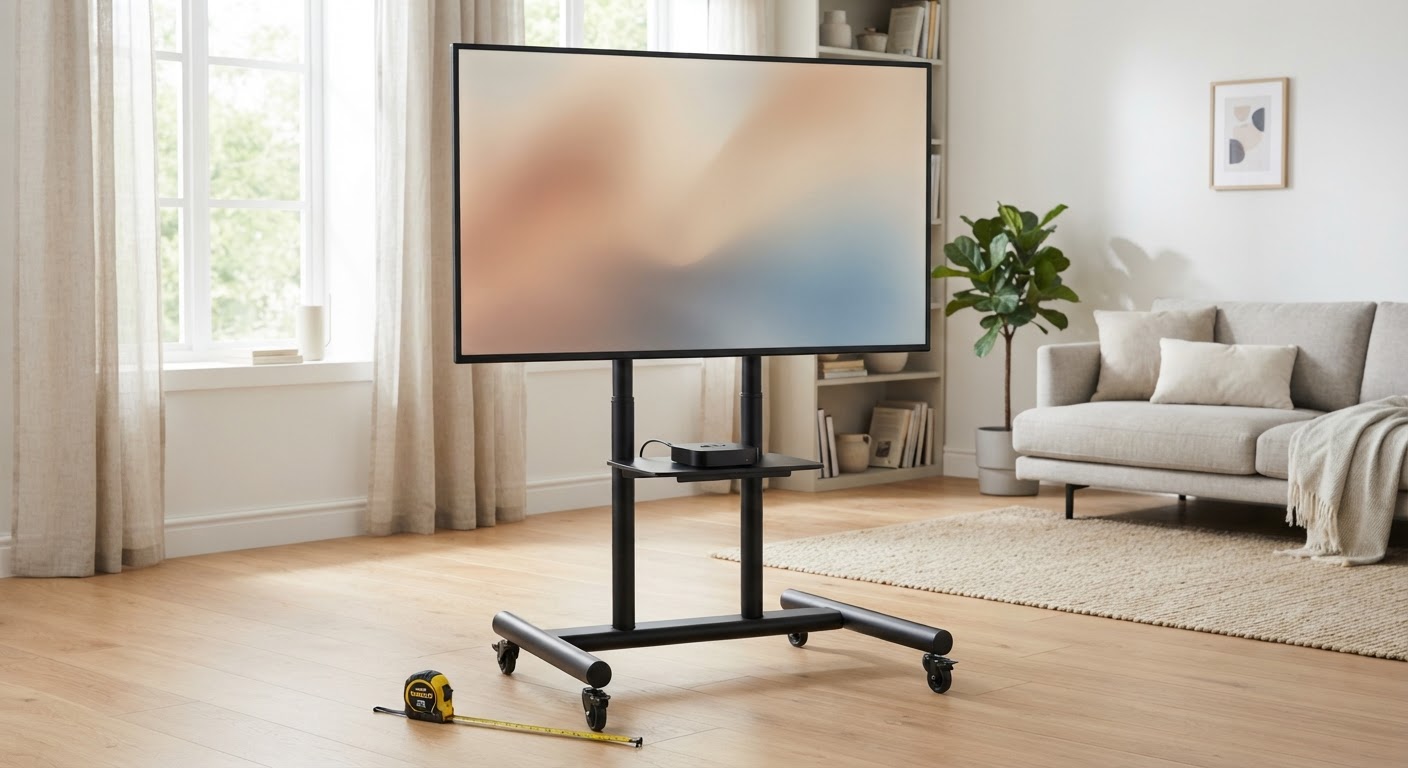
Rolling TV Stand: How to Size a TV Cart or Console on Wheels
A rolling TV stand is any TV support that moves on casters. That covers two quite different products. A mobile TV cart bolts the TV to a column through the VESA holes on its back. A console on casters carries the TV on its own feet like a regular TV stand, and adds wheels. Both let you move a TV between rooms or out of the way without drilling into a wall. They are sized differently, though, and they fail in different ways.
For a cart, the checks are the TV's VESA pattern, weight and screen-center height, plus how far the screen overhangs the base. For a console, the check is the top width against your TV's feet span, just as with any stand. The screen-size range printed on the box ("for 32-75 inch TVs") is a rough guide. Nearly every listing we checked tells buyers to confirm the VESA pattern and weight themselves.
Quick answers
| Question | Short answer |
|---|---|
| What size TV can go on a rolling stand? | The carts we checked are listed for 32-70, 32-75, 32-84, 32-85 and 55-120 inch screens. The real limits are the VESA pattern and weight rating, not the diagonal. |
| How do I know if my TV fits a cart? | Your TV's VESA pattern (for example 300x300 or 600x400 mm) must sit inside the cart's range, and the TV's spec-sheet weight must be under the cart's TV load. |
| How high should the TV be? | For a sofa, aim the screen center near seated eye height, roughly 40-45 inches off the floor. Many carts start higher than that, so check the lowest plate height. |
| Are rolling TV stands stable? | They are stable when parked on a level floor with the casters locked and the TV within the rating. Most of the risk comes from moving them. Lower the TV, push at the base and go slowly over thresholds and rugs. |
| Rolling cart or console on wheels? | A cart suits big screens, adjustable height and frequent moves. A console on casters suits smaller TVs and storage, but your TV's feet must fit its top. |
| Can I use a rolling stand for a 75- or 85-inch TV? | Yes, with a cart rated for the size, weight and VESA pattern. Heavy-duty carts are rated well above typical 32-75 inch carts. Expect a wide base and a high minimum screen height. |
The two kinds of rolling TV stand
| Mobile TV cart (VESA mount) | Console or cabinet on casters | |
|---|---|---|
| How the TV attaches | Bolted to a bracket through the VESA holes; the TV's own feet are not used | Sits on the top on its own feet or pedestal |
| What decides fit | VESA pattern, TV weight, screen-size range, plate height | Top width vs. feet span, depth, weight rating |
| Height | Usually adjustable in steps; screen sits high | Fixed; low (casters add a little height) |
| Footprint | Base is narrower than the screen; the TV overhangs on both sides | Usually as wide as or wider than the TV's feet |
| Storage | One AV shelf, sometimes a camera tray | Shelves, drawers or cabinets |
| Best for | 55-85+ inch TVs, gaming or workout rooms, renters, offices, moving a TV between rooms | Bedrooms, dorms and small living rooms with 32-55 inch TVs |
| Main risk | Top-heavy when moving | Feet too wide for the top; casters rolling during use |
A few products combine the two: a small wheeled cabinet with a short VESA mast at the back. These follow the cart rules for the TV (VESA and weight) and the console rules for footprint.
Step 1: Check the VESA pattern
Almost every rolling cart holds the TV through the four threaded holes on its back. That hole spacing, in millimetres, is the VESA pattern: 200x200, 300x300, 400x400 or 600x400 are typical for 43-75 inch TVs.
- Find your TV's VESA pattern in its spec sheet or manual, or measure the hole spacing center to center.
- Make sure it falls within the cart's listed range. Most 32-75 inch carts we checked accept up to 600x400 mm. The large-screen cart in our list goes to 800x600 mm.
- A cart's range has a minimum as well as a maximum. Some carts start at 200x200 mm, so a small TV with 100x100 mm holes will not fit.
- If the holes sit near the bottom of the TV rather than the middle, the screen will sit higher on the cart than the plate height suggests. More on that in Step 3.
The tv-sizes database records screen class, chassis width and stand width, but not VESA patterns or weights. Get those two numbers from the manufacturer's spec sheet for your exact model.
Step 2: Check the weight rating
Each cart lists a maximum TV load. That figure is for the TV alone. The AV shelf usually has its own, much smaller limit. Ratings on the listings we verified:
- 88-89 lb: lighter 32-70/75 inch carts
- 100-110 lb: mainstream 32-75/84 inch carts
- 132 lb TV load (plus 22 lb on the tray): a heavier-duty 32-85 inch twin-column cart
- 250 lb: a large-screen cart listed for 55-inch and larger TVs
Use the TV's weight without its stand from the spec sheet, since the feet come off when you mount it. Add any soundbar or camera that hangs from the bracket. Then leave margin. A cart that is loaded to its limit will flex more when it rolls over a threshold.
Step 3: Get the screen height right
On a cart, the listed height is usually the TV plate (VESA bracket) center above the floor. Your eye cares about the screen center, and the two are only the same when the VESA holes sit in the middle of the TV's back. Check where the holes are on your model before you choose a height setting.
For seated viewing, a common target is a screen center near seated eye height, about 40-45 inches off the floor for a typical sofa. Here is where the edges of each size land with the screen centered at 42 inches. These are theoretical 16:9 screen dimensions, not chassis measurements:
| TV class | Screen width (theoretical) | Screen height (theoretical) | Screen area | Bottom edge at 42" center | Top edge at 42" center |
|---|---|---|---|---|---|
| 32" | 27.9" | 15.7" | 3.0 sq ft | 34.2" | 49.8" |
| 43" | 37.5" | 21.1" | 5.5 sq ft | 31.5" | 52.5" |
| 50" | 43.6" | 24.5" | 7.4 sq ft | 29.7" | 54.3" |
| 55" | 47.9" | 27.0" | 9.0 sq ft | 28.5" | 55.5" |
| 65" | 56.7" | 31.9" | 12.5 sq ft | 26.1" | 57.9" |
| 75" | 65.4" | 36.8" | 16.7 sq ft | 23.6" | 60.4" |
| 85" | 74.1" | 41.7" | 21.4 sq ft | 21.2" | 62.8" |
Two things follow from this table:
- A cart's minimum height matters more than its maximum for living rooms. One cart in our list adjusts its plate from 39.37" to 59.06", so it can reach sofa eye level. Another runs from 52.64" to 58.54". That puts the center of a 65-inch screen well above a seated viewer, which is fine for standing, a treadmill or a bed with raised pillows, but high for a sofa. Low-height carts (one we found lists 34.3"-46.3") exist for exactly this reason.
- The bottom edge has to clear what sits below it. A 75-inch screen centered at 42" has its lower edge around 23.6" off the floor. The AV shelf, a soundbar or a console on the base must fit under that, and the shelf height is usually adjustable for this reason.
For a console on casters, the height is fixed: the top height plus the TV's own stand height decides where the screen sits. Casters typically add a few inches compared with the same cabinet on feet. Check the listed overall height, which includes the wheels.
Step 4: Check the base against the screen
A rolling cart's base is much narrower than the TV it carries. One mainstream cart in our list has a base that measures 29.34" across the front and 23.14" deep. Compare that with real chassis widths from the tv-sizes database:
| TV class | Real chassis width (tv-sizes database) | Approx. overhang each side of a 29.3"-wide base |
|---|---|---|
| 43" | 38-39" | about 4-5" |
| 55" | 48-49" | about 9-10" |
| 65" | 57-58" | about 14" |
| 75" | 66-67" | about 18-19" |
| 85" | 76" (Sony XBR85X850D) | about 23" |
Side-to-side overhang is normal and is not a problem when the cart is parked, because the TV's weight is centered over the column. Front-to-back is where carts tip: the screen and its weight sit forward of the column, high off the floor. That is why heavy-duty carts use deeper bases and why tilting the screen forward, or loading the front of the AV shelf, moves the balance point toward the edge.
Practical rules for any cart:
- Stay inside the listed weight and screen-size range. A larger screen is usually also a heavier one, and its weight sits further from the column.
- Lock the casters whenever the cart is parked. Some carts lock all four, others only two.
- Before moving it, lower the TV to the lowest setting that clears the base, straighten any tilt and take loose gear off the shelf.
- Push at the column or base, not at the screen. Lift slightly over door thresholds and rug edges rather than ramming the casters into them.
- Treat thick carpet as a slope. Casters sink and drag, which makes the top lean. Some listings say they work on hardwood and carpet, but they still roll best on hard floors.
- If small children or pets share the room, keep the cart parked against a wall with the casters locked. A rolling stand is not a substitute for a wall mount or a tether in that situation.
Step 5: For a console on casters, match the top to your TV's feet
Wheeled TV consoles follow the same width rule as any TV stand: the top must be wider than the outer edges of your TV's feet, with some room to spare. The screen diagonal does not tell you that, and neither does an "up to 60 inches" rating. Feet spans from the tv-sizes database, all measured on real models:
| TV | Screen class | Chassis width | Feet / stand width |
|---|---|---|---|
| Sony KD43X720E | 43" | 38" | 22" (center-ish feet) |
| Insignia NS-43DR620NA18 | 43" | 38" | 35" (edge legs) |
| Sony XBR55X900E | 55" | 49" | 20" (center pedestal) |
| TCL 55S405 | 55" | 49" | 39" (edge legs) |
| LG 55UJ6300 | 55" | 49" | 45" (edge legs) |
| Sony XBR65X900E | 65" | 57" | 20" (center pedestal) |
| LG 65UJ6300 | 65" | 57" | 52" (edge legs) |
A 55-inch TV with a center pedestal fits almost any wheeled console. A 55-inch TV with 45-inch edge legs needs a top wider than 45 inches, so a 43-inch-wide rolling cabinet listed "for TVs up to 60 inches" will not hold it. Browse more measured models in the 55-inch, 65-inch and 75-inch archives, or search the full TV database.
Two console-specific checks:
- Depth where the feet land. Wheeled consoles are often shallow. Make sure the TV's feet sit fully on the top, front to back.
- Caster locks on a console you sit near. A console that rolls when someone pulls a drawer or plugs in a controller is a nuisance and a hazard. Look for at least two locking casters, or replacement feet.
If your TV's feet are too wide for any wheeled console you like, a VESA cart sidesteps the problem entirely, because the feet come off.
Where a rolling TV stand makes sense (and where it does not)
Good fits
- Renting or no-drill walls. You get mount-style height without holes in the plaster.
- One TV, several rooms. Living room for movies, a spare room or patio for a game or workout, then back again.
- Gaming and fitness spaces where the best screen height changes with what you are doing.
- Bedrooms where a tall cart raises the screen for viewing from the bed, and a short console would leave it too low.
- Shared rooms where the TV needs to disappear from view when it is not in use.
- Offices and classrooms, which is what many of these carts are really built for, hence the camera trays and high plate heights.
Weaker fits
- A permanent main living-room setup with no reason to move the TV. A wall mount, a floating TV stand or a properly sized console is tidier and steadier. See our guides to a TV stand for a 65 inch TV, 75 inch TV and 85 inch TV.
- Thick carpet with frequent moves of a large screen.
- Homes with climbing toddlers unless the cart is parked, locked and placed against a wall.
- Outdoors in the weather. "Outdoor" in a cart listing usually means you can roll it onto a patio, not that it can stay there. The TV also needs to be rated for outdoor use. See our SunBriteTV outdoor models.
Rolling stand vs. wall mount vs. regular TV stand
| Rolling cart | Console on casters | Wall mount | Standard TV stand | |
|---|---|---|---|---|
| Height adjustable | Yes, in steps | No | Only with a motorised or adjustable mount | No |
| Moves between rooms | Yes | Yes | No | Not practically |
| Drilling | None | None | Into studs or masonry | None |
| Large TVs (75"+) | Yes, with a heavy-duty cart | Rarely | Yes | Yes, with a wide console |
| Storage | One or two small shelves | Good | None (add a console below) | Good |
| Cable management | Clips or channel up the column | Back panel holes | In-wall or raceway | Back panel holes |
| Stability | Good parked; care needed when moving | Good if feet fit and casters lock | Best | Best |
If you are deciding how big a TV a portable setup should carry, the TV screen size comparison shows how width, height and area grow with each size step. A cart also lets you move the TV closer or further from the seating. The calculator below shows a good range for your screen size.
Viewing distance
How far is your seat?
Use this as a practical starting point, then adjust for your room and preferences.
- Mixed viewing
- 60″
- Cinema / 4K
- 80″
Real rolling TV stands
These are real products we verified on amazon.com during research. They are a mix of mainstream carts, a low-height cart, a large-screen cart and a wheeled cabinet with a mount, so they line up with the sizing steps above. Ratings, VESA ranges and heights are quoted from each listing's title or bullets. They are not test results, and we have not tested these stands. Confirm the current specification on the listing before buying. These are affiliate links, and tv-sizes.com may earn a commission from qualifying purchases.


Frequently asked questions
What is a rolling TV stand called?
You will see it sold as a rolling TV stand, mobile TV cart, TV cart, portable TV stand, TV stand on wheels or TV trolley. Most of these are VESA-mount carts. "TV stand with wheels" and "TV console with wheels" more often mean a cabinet on casters.
Will my TV fit a rolling TV stand?
For a cart, check three numbers from your TV's spec sheet: the VESA pattern must fall inside the cart's range, the weight without the stand must be under the cart's TV load, and the screen size should sit within the listed range. For a wheeled console, the top must be wider than your TV's feet.
Can a rolling TV stand hold a 65-inch TV?
Yes. Most mainstream carts are listed for 32-75 inch TVs. Check the weight and VESA pattern for your model, since 65-inch TVs vary by brand and panel type. A 65-inch TV is 57-58 inches wide in our database, so it overhangs a typical cart base by about 14 inches each side. That is normal, and it is why you lower the TV before moving it.
Can a rolling TV stand hold a 75- or 85-inch TV?
Yes, with the right cart. Mainstream carts in our list are listed up to 75, 84 or 85 inches, and heavy-duty carts go to 800x600 mm VESA patterns and 250 lb loads. The base gets wider and the lowest screen height usually rises, so check that the screen center can come down to your eye level.
Are rolling TV stands safe?
Parked and locked, a cart used within its rating is stable. The risk is in moving it: a high, heavy screen over a small base can tip forward if a caster catches a rug or threshold. Lower the TV, straighten the tilt, clear the shelf and push at the base. With young children around, keep it locked against a wall.
How tall should a rolling TV stand be?
Set it by where you sit. For a sofa, put the screen center near seated eye height, roughly 40-45 inches. For a bed or a standing workout, go higher. Remember that the cart's listed height is usually the plate or bracket center. If your TV's VESA holes are not centered, the screen center will be higher or lower than that.
Do rolling TV stands work on carpet?
Most will roll on low-pile carpet, and several listings say so. Thick carpet makes casters sink and drag, which makes a tall cart lean as it moves. On deep pile, move it slowly with the TV lowered, or place it on a hard floor protector.
Related guides on tv-sizes.com
- TV stand for a 65 inch TV, 75 inch TV and 85 inch TV for console width and minimum-size math
- Corner TV stand, floating TV stand and fireplace TV stand for the other stand types
- TV screen size comparison for how width, height and area scale with diagonal
- Check your numbers with the TV size calculator and the viewing distance guide, or browse every measured model in the TV database
Bottom line
Size a rolling TV stand from your TV's spec sheet, not from the diagonal on the box. For a cart, confirm that your VESA pattern sits inside the cart's range and that the TV's weight without its stand is under the TV load. Then check the lowest plate height against your seated eye level, and compare the base with the screen width so you know how much overhang you will be moving around. For a console on casters, the top must be wider than your TV's feet, and at least two casters should lock.
Lock the wheels when it is parked, and lower the screen before you move it.
As an Amazon Associate we earn from qualifying purchases. Price and availability can change.